Digital Camera Data Recovery
... the ultimate destination for all your digital camera data recovery needs! Introducing the cutting-edge software developed by Data Recovery specifically designed for Windows 10 users - Digital ...

Comfy File Recovery searches internal and removable drives for deleted or lost files, and can inspect deleted partitions. It offers a normal scan based on file-system information and a content-aware scan that searches for file signatures. Users can narrow results by file type or mask, then search by name, attributes, size or modification date. A guided wizard helps with recovery, though it does not preview files.
| Author: | Comfy Software |
| License: | Demo |
| Price: | $34.95 |
| Released: | Oct 12, 2026 |
| File size: | 74.20 MB |
| Downloads: | 28 |
| Keywords: | recover files from usb, deleted partition recovery, file recovery software, undelete, recover file, restore, download Comfy File Recovery, file recovery, recover deleted files, Comfy File Recovery free download, Comfy File Recovery, data recovery utility, recover, retrieve, data recovery, file signature scan |
| Author URL: | https://www.my-data-recovery.com/hard-drive-recovery/ |
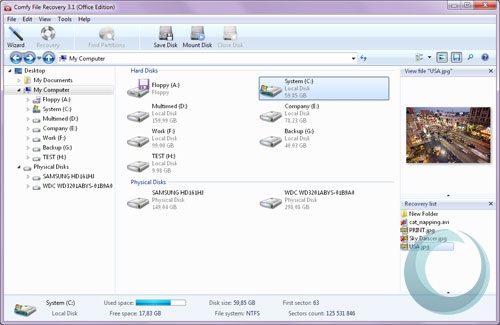
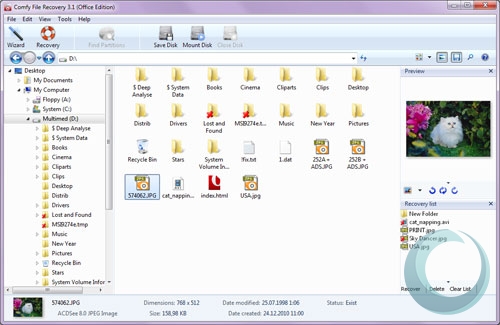
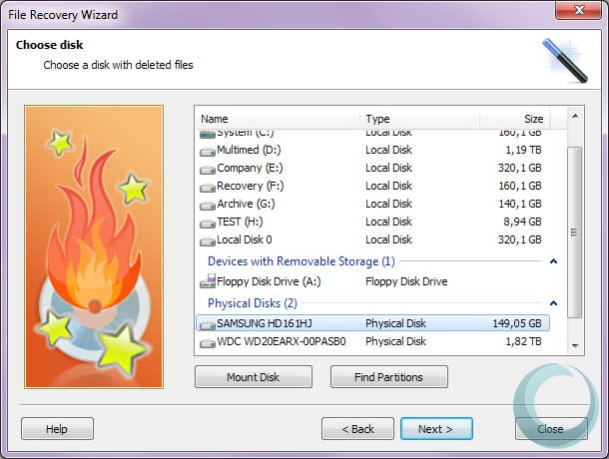
Comfy File Recovery is a data recovery utility for restoring files deleted by mistake and searching storage devices for data that has become inaccessible. It is intended for both home users and more experienced users handling file loss caused by deletion or damage to a partition. The program works with internal and removable drives, and can also examine deleted partitions that may no longer appear as usable volumes in Windows.
Recovery begins by selecting a drive or partition to analyze. A normal scan uses information that remains in the file system to locate deleted items, which can be useful when that structure is still available. For cases where file system records are missing or damaged, a content-aware scan searches for known file signatures instead. This approach can find files without relying on their original directory entries, though results depend on the condition of the storage and the data that remains on it.
The scan can be narrowed to particular file formats or to files matching a mask, reducing the amount of material to review. Once results are available, a search tool helps locate items by name, attributes, size or modification date. These filters are useful when a scan returns a large collection of recoverable data and the user knows some details about the missing files. The program also provides a recovery wizard for a guided process; it suits cases where the target files are already known, but the wizard does not provide file previews.
Comfy File Recovery can be used after accidental deletion, when a partition has been corrupted, or when files have disappeared from a removable storage device. A sensible recovery workflow is to stop using the affected drive as soon as possible, since new data written to it can overwrite deleted file contents. Recovered items should be saved to a different drive or storage device rather than back to the source being scanned.
The software is offered as a demo and is designed for Windows 10 and Windows 11, including 32-bit and 64-bit Windows 10 systems. It provides scanning, filtering and guided recovery tools in a single desktop application. Recovery is not guaranteed: success depends on whether the original data has been overwritten and whether the device can still be read.