Database Browser Portable for Windows 10 - Full description
Database Browser Portable is a Windows utility for connecting to databases, browsing and modifying records, and running SQL scripts. It is intended for database users who need a single interface for working with different database systems, as well as for people who want to carry their database tool and settings on a removable drive. The portable edition is designed to work with the PortableApps Menu rather than being installed like the separate standard edition.
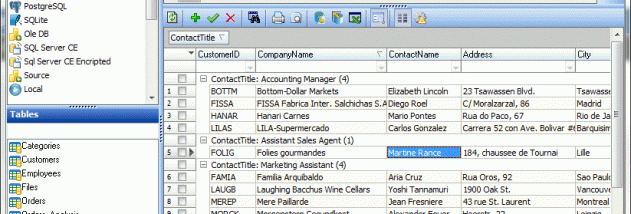
The program connects directly to Oracle, Microsoft SQL Server, MySQL, PostgreSQL, SQLite, Microsoft SQL Server Compact, Interbase and Firebird. It also supports ODBC and OLE DB connections, including connection scripts for both technologies. Users can create an unlimited number of connections and switch between them with a click, which is useful when working across development, test and production databases or handling several unrelated projects. One-click table browsing opens a selected table for examining its data, while editing features allow records to be modified through the browser.
For query work, Database Browser Portable can execute SQL scripts and includes a SQL Builder for supported database systems. An execution history and log help users review previous activity and check what ran during a session. Incremental table search narrows results as a search term is entered, making it easier to locate records in a table without manually scanning every row. These features support both routine lookups and more involved database tasks from the same application.
Results can be exported to CSV, Excel and HTML files, or printed when a paper copy is needed. Exports are useful for sharing query results, preparing data for spreadsheet analysis or preserving a view outside the database. The application combines connection management, table browsing, query execution and output tools in one workflow, so users can inspect data, make changes and save or print results without switching among separate utilities.
The portable edition is freeware and is intended for use with PortableApps Menu. Portable software can be kept on a USB drive or other external storage and launched on compatible computers without following the standard installed-app workflow. Database Browser Portable is focused on Windows desktop use, and its database access depends on the relevant database service, driver or provider being available for the connection type. The interface language is English.