.Net DLL/WSDL Importer for Delphi
... the download page of ".Net DLL/WSDL Importer for Delphi" by CrystalNet Technologies LTD. This exceptional software empowers Delphi developers to effortlessly import .NET DLLs and WSDLs ...

Delphi is an integrated development environment for creating native applications with Object Pascal. Its code editor, visual form designer, compiler and debugger support the development workflow, while reusable components help build interfaces and application features. Developers can target Windows, macOS, iOS, Android and Linux, share code across projects, and use database access and data-binding tools for data-driven software.
| Author: | Embarcadero Technologies, Inc. |
| License: | Shareware |
| Price: | $1699.00 |
| Released: | Nov 7, 2023 |
| File size: | 177.21 MB |
| Downloads: | 714 |
| Keywords: | native ios app builder, cross platform development, Delphi software, software development, native windows development, cross platform app development, visual form designer, windows compiler, ide, delphi ide, android apps, application development, macos development, Embarcadero Technologies, windows development, Windows 10 compatible, native application compiler, robust coding environment, x64 architecture, delphi, windows app development, object pascal development, windows ui toolkit, linux deve |
| Author URL: | https://www.embarcadero.com/ |
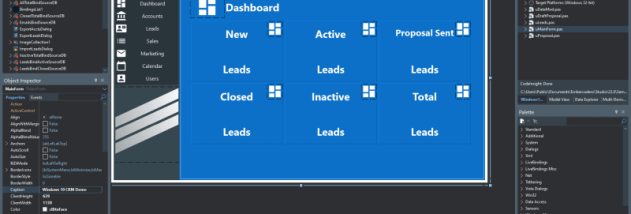

Delphi is an integrated development environment for building applications with Object Pascal. It is aimed at independent programmers and software teams who need to create, test and maintain native desktop or mobile software. Its editor, visual design tools, compiler and debugging facilities bring the main stages of application development together in one workspace, from writing source code to inspecting a running program.
The visual form designer lets developers arrange interface elements and set their properties, while the code editor is used to implement application behaviour. Delphi's component-based approach supports adding controls and other reusable elements to a project, then connecting them to code. Developers can use the integrated debugger to follow program execution, examine values and diagnose problems without leaving the IDE. Compiling applications to native code is useful when projects require direct integration with a target platform or efficient execution.
Delphi supports development for Windows, macOS, iOS, Android and Linux, with shared code available for projects targeting more than one system. A common codebase can reduce duplicated work, while platform-specific interfaces and behaviour can be handled where needed. The IDE also includes database access components and data-binding tools, which help connect application interfaces to data sources and build software that displays or edits stored information. Its Windows desktop UI library is suited to programs designed specifically for Windows.
These tools serve a range of projects, including business applications, database front ends, desktop utilities and cross-platform apps. A developer can use the designer to assemble screens, add application logic in Object Pascal, connect data and debug the result within the same environment. Teams maintaining existing Delphi projects can use the IDE to extend their code, while new projects can use its visual workflow to develop interfaces alongside program logic.
Delphi is commercial software with a trial option. The stated system requirements include a dual-core processor of 1.8 GHz or faster, at least 3 GB of RAM, 6-60 GB of disk space and a DirectX 11 display at 1440 × 900 or higher; Windows 10 or later is required. The IDE is available in English, French, German and Japanese. Project compatibility and available target platforms can depend on the installed tools and components.