desktopPet for Windows 10 - Full description
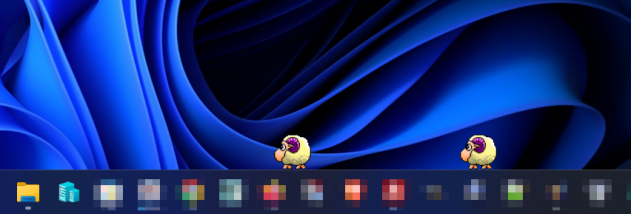
desktopPet is an open-source desktop companion that recreates the classic eSheep or Stray Sheep experience for Windows. It adds animated sheep to the desktop, where they wander across the screen and interact with open Explorer windows. The lightweight app is intended for users who want a playful, unobtrusive desktop decoration, as well as anyone revisiting the virtual pets popular in the 1990s.
The flock can contain up to 16 sheep. A right-click on desktopPet's taskbar icon opens controls for adding pets and changing the flock size, so users can keep a single sheep or fill the desktop with a small crowd. Sheep can be moved with the cursor and dropped from a height; their behavior varies, with animations that include eating flowers and other comic mishaps. They can also walk across Explorer windows, making the desktop itself part of the activity.
The Options menu lets users turn sounds on or off and adjust how many sheep appear. The taskbar icon provides a convenient point of access without requiring a separate window to stay open. desktopPet can be installed through its menu or launched directly from its executable, offering a portable-style option for users who prefer not to run an installation process.
The program is suited to casual desktop customization and nostalgic fun rather than productivity tasks. Its sheep move and act independently, so the activity can serve as a light distraction while other applications remain open. Users can add or remove sheep to suit their preference, and disabling sound makes the companion quieter during work or shared-space use.
desktopPet is free and open source. It supports Windows 7, Windows 8, Windows 10, and Windows 11, including 32-bit and 64-bit editions where applicable. The application has no special requirements stated and is distributed as a small executable. Its playful animations and taskbar controls bring the old virtual sheep concept to modern Windows desktops.