CSharp Encrypt File with Password
Welcome to the download page for "CSharp Encrypt File with Password," an innovative software developed by the talented team at CSharp Encrypt File with Password. This powerful tool is designed ...

DiskCryptor encrypts entire hard drives, Windows system partitions and removable media, including USB drives and optical discs. It supports AES, Twofish and Serpent, with an option to combine algorithms in cascade mode. Bootloader integration and pre-boot password authentication let it protect a Windows system volume before the operating system starts.
| Author: | xanasoft |
| License: | Shareware |
| Price: | $30.00 |
| Released: | Oct 4, 2026 |
| File size: | 6.00 MB |
| Downloads: | 332 |
| Keywords: | ntldr, aes disk encryption, data encryption, encryption, disk partition encryption, decrypt, system partition security, DiskCryptor, disk encryption software, encrypt hard drive, disk encryptor, encrypt, encrypt partition, encrypt windows partition, Windows 10, usb drive encryption, x64 software, pre-boot authentication |
| Author URL: | https://xanasoft.com/ |
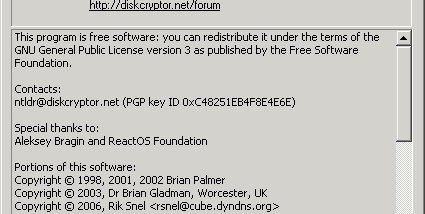



DiskCryptor is a Windows disk-encryption utility for people who need to protect data stored on internal drives, system partitions or removable media. It encrypts whole volumes so their contents are not accessible in readable form without the required authentication. It can also protect the partition that contains Windows, applying encryption while retaining the ability to start the operating system.
The program supports AES, Twofish and Serpent encryption. Users can select an algorithm to suit their security requirements, or combine algorithms in cascade mode to apply multiple encryption layers. DiskCryptor handles hard drives as well as external storage such as USB drives and optical media, making it useful for securing both a computer's fixed storage and data carried between locations.
For an encrypted Windows system partition, DiskCryptor integrates with the Windows bootloader and provides pre-boot authentication. The password prompt appears before Windows loads, helping prevent access to the protected system volume when the computer is started. For non-system volumes, encryption and decryption are managed through the program's interface. The straightforward controls accommodate routine volume management, while the available algorithm choices offer more control for experienced users.
DiskCryptor can be used to protect personal files, work documents and other sensitive data on a computer or removable drive. Encrypting a system partition is relevant for devices that may be lost or accessed by others, while encrypting external storage helps keep its contents protected outside the office or home. Encryption does not replace backups: users should keep copies of important files and choose a strong password, since losing access credentials can prevent recovery of encrypted data.
DiskCryptor is intended for Windows and supports Windows 11, 10, 8, 7, Vista, XP and Windows 2000, including 32-bit and 64-bit editions where specified. Full-disk and system-partition encryption affect access to the computer, so users should understand the boot authentication and recovery implications before applying encryption. Its focus is volume protection rather than general-purpose file editing or backup management.