Ditto
Ditto is an open-source clipboard manager for Windows that keeps a history of items copied to the clipboard. Instead of limiting access to the most recently ...

Ditto Portable extends the Windows clipboard with a searchable history of copied items, including text, images, HTML and custom formats. Entries can be selected from the tray or with a global hotkey, then pasted by double-click, Enter or drag-and-drop. Image thumbnails help identify visual items, and Unicode support handles foreign characters. It can synchronize clipboards between computers, encrypting data sent over the network.
| Author: | Ditto |
| License: | Freeware |
| Price: | FREE |
| Released: | Apr 16, 2023 |
| File size: | 4.70 MB |
| Downloads: | 323 |
| Keywords: | extension, Hotkey Support, Data Synchronization, Clipboard Manager, clipboard extension, image clipboard history, Ditto Portable, Open Source Software, Lightweight Utility, clipboard history, clipboard, clipboard manager, copy paste tool, search copied text, improve clipboard, synchronize clipboard, clipboard sync, synchronize |
| Author URL: | https://ditto-cp.sourceforge.io/ |
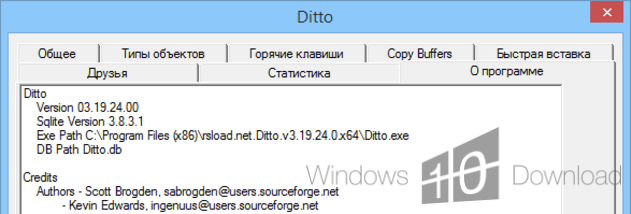

Ditto Portable extends the Windows clipboard by keeping a history of copied items, so text, images, HTML and other clipboard data remain available after a new item is copied. It is useful for people who regularly reuse snippets or move information between documents and applications. Instead of relying on the single item held by the standard clipboard, Ditto lets users search past entries and choose what to paste.
The history is available from the system tray or through a global hotkey. Once open, users can search the saved entries, then insert one by double-clicking it or pressing Enter. Entries can also be dragged into an application window. This makes it possible to retrieve a previously copied address, paragraph or other item without returning to its original source. Ditto pastes through standard clipboard behavior, so entries can be used in applications that accept ordinary copy-and-paste data.
Ditto can retain more than plain text. It supports images, HTML and custom clipboard formats, and displays image thumbnails in the history list to help identify visual items. Unicode support allows copied text containing foreign characters to be displayed, while UTF-8 support is available for language files. Its history is stored in an SQLite database, providing a local record of clipboard entries for later selection.
The program can also synchronize clipboard entries between computers. Data sent over the network is encrypted, which is relevant when the clipboard history is shared across devices. This feature supports workflows where the same snippets or copied content are needed on more than one computer; the tray and hotkey access also keep routine retrieval close at hand.
Ditto Portable is freeware. The supplied compatibility information includes Windows 10 and earlier Windows releases; Windows 11 support is not established here. Clipboard histories may contain sensitive information, so users should consider what is being retained and shared, particularly when enabling network synchronization.