dotConnect Universal Professional Edition
... that need to work with more than one database system. Based on ADO.NET, it presents a common programming model for connecting to supported databases, so application code can use the same provider ...

dotConnect for MySQL Professional is an ADO.NET data provider for developers building .NET applications with MySQL. It supports Direct connections without the MySQL client library and Client mode using libmysql.dll, along with SSL, SSH, proxies and HTTP tunnels. Components include asynchronous commands, pooling, batch updates, data loading tools and design-time editors for working with MySQL data in supported IDEs.
| Author: | Devart |
| License: | Demo |
| Price: | $269.95 |
| Released: | Mar 6, 2026 |
| File size: | 28.50 MB |
| Downloads: | 2136 |
| Keywords: | sql, SQL Server, Windows 10 compatible, mysql database components, mysql data access tools, server, database management, database, Devart, dotConnect for MySQL Professional, mysql .net data provider, ActiveX Data Objects, direct access to MySQL, mysql ado.net provider, x64 software, connect .net to mysql, mysql visual studio tools, MySQL integration |
| Author URL: | https://www.devart.com/ |




dotConnect for MySQL Professional is a .NET data provider for developers building applications that use MySQL databases. Based on ADO.NET, it supplies application code with database connectivity and components for working with MySQL data. Its provider model is intended for database application development, from establishing connections and issuing commands to integrating database operations into a product's data-access layer.
The provider offers both Direct and Client connection modes. Direct mode connects without requiring the MySQL client library, while Client mode uses libmysql.dll. Connections can also use SSL or SSH security, proxy servers and HTTP tunnels, giving developers options for applications that must connect across different network environments. The provider supports MySQL server functionality, including MySQL Embedded Server, and includes provider-specific types and metadata schemas for working with database features through .NET.
ADO.NET features support common application workflows such as creating connections with a connection string builder, using provider factories, pooling connections, executing asynchronous commands and applying batch updates. Server enumeration and database change notifications are also available. These capabilities help developers integrate MySQL access into application architectures while managing data operations through familiar .NET patterns. Components such as MySqlScript run a series of SQL statements, and MySqlLoader imports external data into a MySQL database.
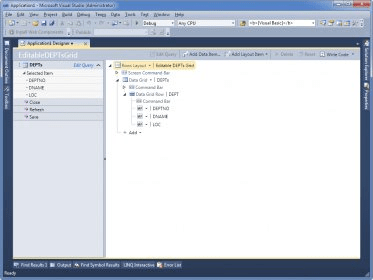
Design-time tools are included to assist with development inside supported IDE workflows. Component editors, wizards and managers help configure typed MySQL-specific components, while live data-binding tools connect application interfaces to database data. The product also integrates with development environments including Visual Studio and Delphi. Its related dbForge Fusion for MySQL tool supports database schema design and table-data work within an IDE.
The software is intended for .NET developers creating or maintaining MySQL-backed applications, including projects that need configurable connectivity, database-specific components or IDE-based design tools. It is offered as a demo and is designed for Windows development environments, including Windows 10 and Windows 11. Developers should check current system and IDE requirements before installing it, particularly when working with older project toolchains.