Easy Translator for Windows 10 - Full description
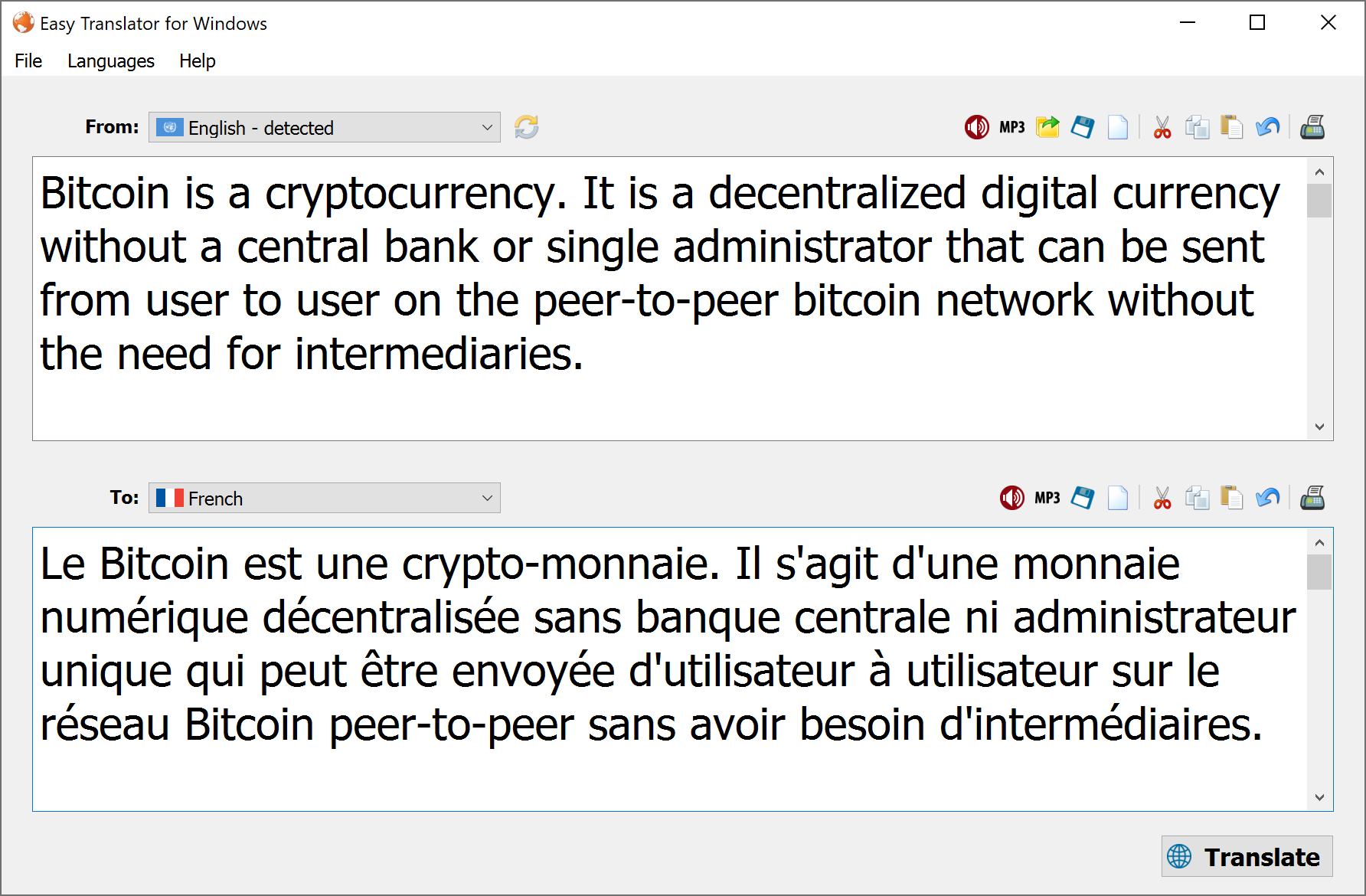
Easy Translator is a desktop translation utility for people who want to translate written passages and hear how translated text is pronounced. It accepts text in an input box and converts it to a selected language, with automatic language detection available when the source language is not known. Its straightforward workflow suits occasional translation as well as keeping translated material and audio pronunciation for later use.
For a translation, users enter or paste a passage and choose the target language. Easy Translator provides a broad selection of languages, and automatic detection can identify the source language without requiring a manual choice. The result can be saved as a plain text file, which is useful for retaining a translation outside the program or sharing it without copying and pasting. As with machine translation generally, results are best treated as a practical aid; wording and meaning may need review, particularly for nuanced or important material.
The program also provides text-to-speech pronunciation for translated text. Users can listen to the pronunciation and export it as an MP3 file, creating an audio reference that can be played independently of the application. This can help with learning unfamiliar words, checking how a phrase sounds, or keeping a spoken version alongside a saved text translation. The text and audio export options make the tool useful beyond simply viewing a translation on screen.
A long language menu can be easier to manage by hiding languages that are not needed. This preference reduces clutter when working with a smaller set of source or target languages. The core workflow remains focused on entering text, selecting or detecting its language, translating it, and saving the result or pronunciation.
Easy Translator is trialware for Windows, with support for Windows 10 and Windows 11 as well as older Windows releases. It is intended for users who prefer a dedicated desktop tool and value downloadable text and speech output. Translation quality depends on the text and language pair, so the output should be checked when accuracy is essential.