Awajis CBT Practice Software - JAMB
Awajis CBT Practice Software - JAMB is a computer-based test simulator ... Arabic, French, Music, Fine Arts and CRK. A practice session can cover one or several subjects. Students ...

Morse Code - Learn and Translate converts typed, pasted or imported text into Morse code in real time and can play the result through a speaker control. Users can reverse the boards to interpret Morse as text and check their own attempts. Its Learn section offers Normal, Silent and listening exercises, with choices for translation direction and answer format. A Morse alphabet and Q-code list provide quick references while studying.
| Author: | Pavel Holeček |
| License: | Freeware |
| Price: | FREE |
| Released: | Oct 12, 2026 |
| File size: | 129.30 MB |
| Downloads: | 45 |
| Keywords: | Morse Code - Learn and Translate free download, learn, morse code practice, morse listening exercises, morse quote practice, code, practice, download Morse Code - Learn and Translate, Morse Code - Learn and Translate, morse, learn morse code, morse alphabet reference, translate morse code, Morse code lear, morse code translator, Morse code translator, text to morse converter |
| Author URL: | https://apps.microsoft.com/store/detail/morse-code-learn-and-translate/9PNBC68XDHR0 |
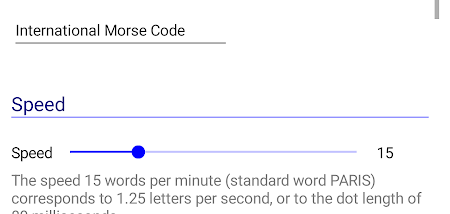


Morse Code - Learn and Translate is a Windows utility for converting text to Morse code and practicing how to read or enter the code. It suits beginners who want a guided way to study, as well as radio enthusiasts and others who need a straightforward translator. Its interface centers on two translation boards, keeping conversion and practice tasks accessible without requiring a complex setup.
For a text-to-Morse conversion, users can type a phrase into the translator and see its equivalent appear in real time. Text can also be pasted from the clipboard or imported from a file, which is useful for translating material that is already written elsewhere. A speaker control plays the generated code, giving learners a way to hear the result rather than relying only on its visual representation. Switching the boards changes the direction of translation: Morse code can be entered and interpreted as text, and the reverse conversion can be used to check whether an attempted transcription is correct.
The Learn section provides customizable tests rather than limiting study to translation. A session can run in Normal mode, Silent mode or as a listening exercise, with each option presenting a different kind of quiz. Learners choose whether to work from text to Morse, from Morse to text, or in both directions. They can also set how answers are handled, choosing between selecting an answer and typing one. These controls let a beginner start with recognition and move toward active recall, or focus practice on listening and transcription.
Reference material is available in the sidebar alongside the learning tools. The Morse alphabet list lets users look up code while studying or checking a translation, and a separate Q-code list covers abbreviations used in Morse communication, including amateur radio. The combination of a live translator, audio playback, reference lists and configurable quizzes supports different kinds of practice in one app. It can be used for short study sessions, checking phrases, reviewing unfamiliar code or testing listening and typing skills.
Morse Code - Learn and Translate is freeware from Pavel Holeček for Windows 10 and Windows 11, with support for both 32-bit and 64-bit Windows 10 systems. Its focused feature set is intended for Morse conversion and learning rather than broader radio communication tasks. The basic interface keeps the main actions centered on entering text or code, listening to playback and setting up a quiz, making the program suitable for learners who want these functions in a single desktop tool.