Abacre Photo Editor
Abacre Photo Editor is a desktop tool for improving scanned images ... process several images without using a complex professional editing suite. Photos can be scanned or imported from ...

EDIUS is a non-linear video editor for creating projects with multiple video and audio tracks. Editors can set project size, frame rate and bit depth, then arrange clips, define In and Out points, split tracks, build sequences and apply transitions. A library browser imports supported media from folders and provides favorites for quick access. Audio mixing and capture tools are also included. The trialware requires an EDIUS ID and runs on 64-bit Windows 10 and Windows 11.
| Author: | Grass Valley Canada |
| License: | Trialware |
| Price: | FREE |
| Released: | Oct 1, 2026 |
| File size: | 1536.00 MB |
| Downloads: | 534 |
| Keywords: | video project, conversion, audio video editing, video sequence editor, Grass Valley product, edius video editor, x64 architecture, Windows 10 compatibility, video editor, EDIUS software, editor, non-linear editing, sequence, edit video, edit, multi-track video editor, 4k video editing, video, project, Technicolor USA, video editing software |
| Author URL: | https://www.ediusworld.com/products/edius11/index.html |
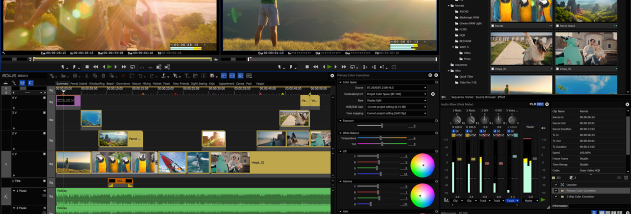



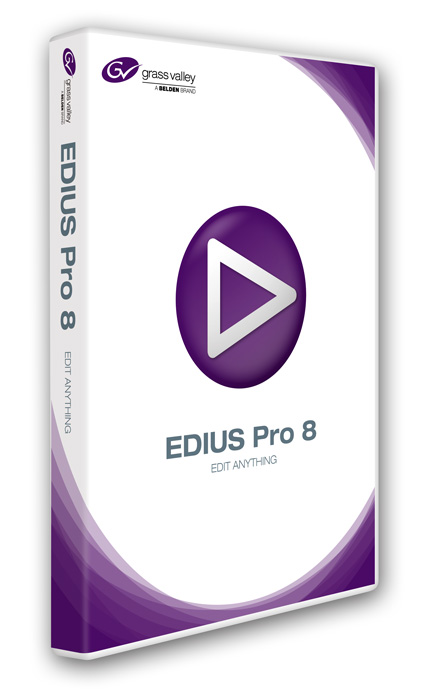
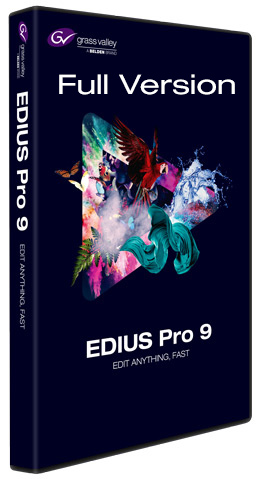

EDIUS is a non-linear video editing application for editors producing everything from straightforward cuts to complex video projects. Its project setup lets editors choose a frame size, frame rate and bit depth before working, with presets covering 4K, HD, SD and DV formats. The interface groups editing functions in menus and toolbars, and a detailed help manual supports users learning its more advanced tools.
The editing workspace supports separate video and audio tracks. Editors can add clips, split tracks, set In and Out points to define usable sections, and arrange material into sequences. Transition effects can be applied between shots, while linking helps keep related audio and video together during edits. The audio mixer provides controls for balancing sound, and capture functions allow video or audio to be recorded and added to a project.
A built-in library browser helps manage source media alongside the editing work. It can import supported files from a selected folder, reducing the need to add each clip individually, and favorites make frequently used items easier to find again. These organization tools are useful when a project draws on a larger collection of footage and sound.
EDIUS is suited to video editors assembling projects with multiple tracks, sequences and transitions, as well as users who need to work with a range of standard and high-definition project formats. The combination of capture, clip organization, timeline editing and audio mixing keeps common production tasks within one application. Its broad feature set is aimed at users who are comfortable navigating a professional editing interface; newcomers can consult the included help manual.
The software is trialware from Grass Valley Canada and requires an EDIUS ID to run as intended. It is available for 64-bit Windows 10 and Windows 11. Project setup options include frame rates from 23.98p to 59.94i, alongside selectable frame size and bit depth. The installer handles the installation after the license agreement is accepted, with no advanced setup choices required.