Excel Add-In for Gmail
Excel Add-In for Gmail connects Gmail data with Microsoft Excel for businesses and individuals who need to review, ... add-in uses SQL to communicate with Gmail. From Excel, users can select the data they want to ...

Excel Add-In for QuickBooks connects Microsoft Excel to a QuickBooks account, allowing users to retrieve financial records through SQL queries. It can access invoices, bills, payments, expenses, deposits, checks and other data, presenting results as queryable tables, read-only views or stored procedures. The add-in supports spreadsheet-based bookkeeping reviews, reporting and analysis, and can connect to a remote machine with additional HTTP configuration.
| Author: | CData Software |
| License: | Trialware |
| Price: | $1199.00 |
| Released: | Oct 9, 2026 |
| File size: | 9.90 MB |
| Downloads: | 33 |
| Keywords: | Excel, SQL queries, quickbooks financial reporting, download Excel Add-In for QuickBooks, Excel Add-In for QuickBooks free download, financial data extraction, profile, quickbooks excel add-in, Excel Add-In, extract payment, export quickbooks to excel, retrieve quickbooks transactions, account, QuickBooks, Excel Add-In for QuickBooks, retrieve bill, QuickBooks extractor, quickbooks data extractor, quickbooks sql queries |
| Author URL: | https://www.cdata.com/drivers/email/download/excel/ |
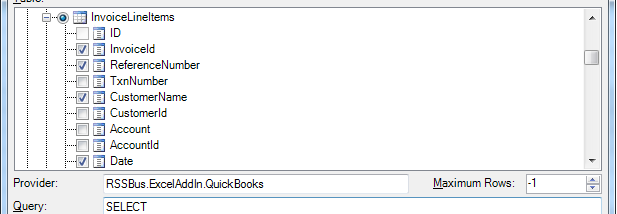
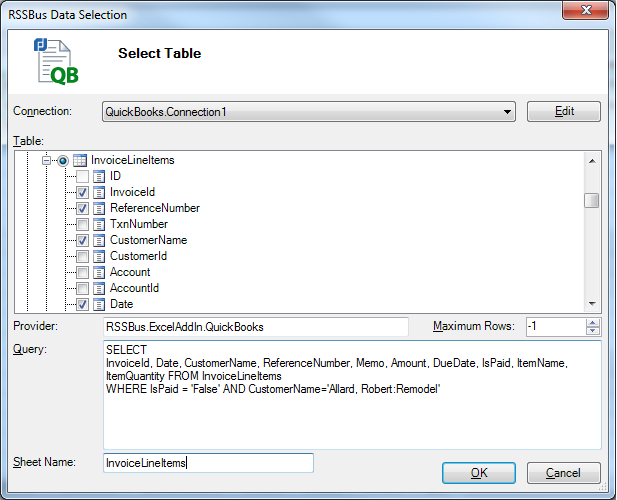
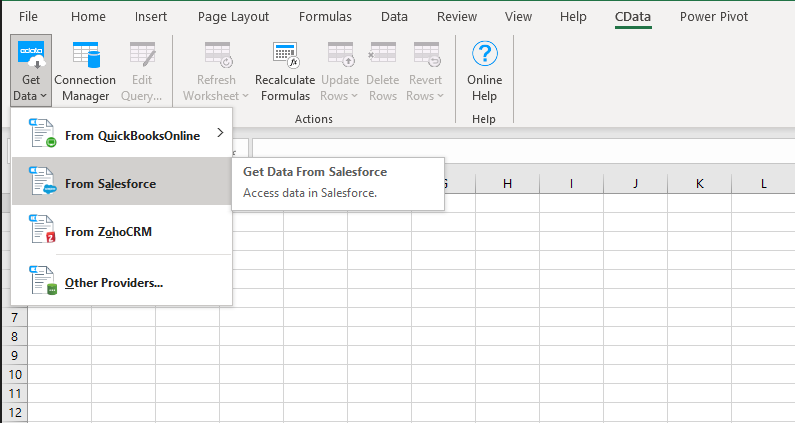
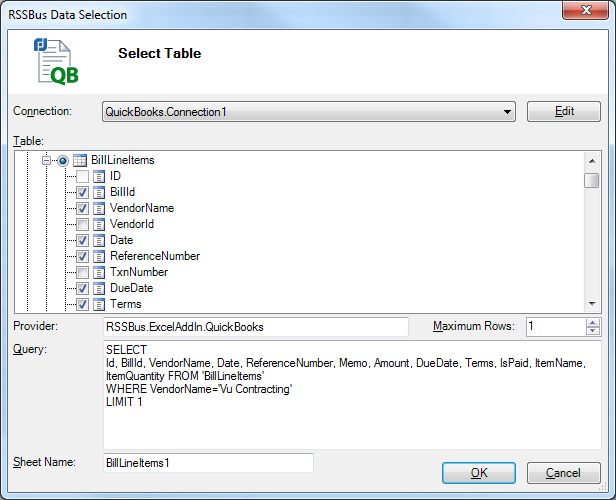
Excel Add-In for QuickBooks connects Microsoft Excel with a QuickBooks account so financial records can be brought into spreadsheets for analysis and reporting. It is intended for accountants, bookkeepers and business users who work with QuickBooks data in Excel, including people who need to review transactions alongside other business information. QuickBooks must be installed on the computer to establish the local connection, and the add-in uses a configurable application name when connecting.
Once connected, users can retrieve records by running SQL queries from Excel. This lets them choose the data they need instead of manually copying information between applications. The add-in provides access to records such as invoices, bills, checks, transactions, bill payments, credit card activity, expenses and deposits. It can also retrieve employee earnings, journal entries and inventory adjustments, giving spreadsheet users a way to inspect a broad range of financial and operational data.
Retrieved information is exposed in formats suited to different workflows, including tables that can be queried and updated, read-only views and stored procedures. Users can work with the returned records in Excel to sort, filter, compare and summarize financial information, then use spreadsheet formulas, charts or reports to examine trends. The SQL interface also supports more targeted data retrieval for users who need to select particular records or fields. Whether changes can be written back depends on the data source object and the operation being used.
The add-in can support routine bookkeeping reviews as well as reporting and broader business analysis. For example, a business can assemble transaction or expense data for reconciliation, examine invoice and payment activity, or use customer-related information as input to product and marketing analysis. Bringing QuickBooks records into a familiar spreadsheet workflow can reduce manual re-entry and make it easier to combine accounting data with calculations and reporting maintained in Excel.
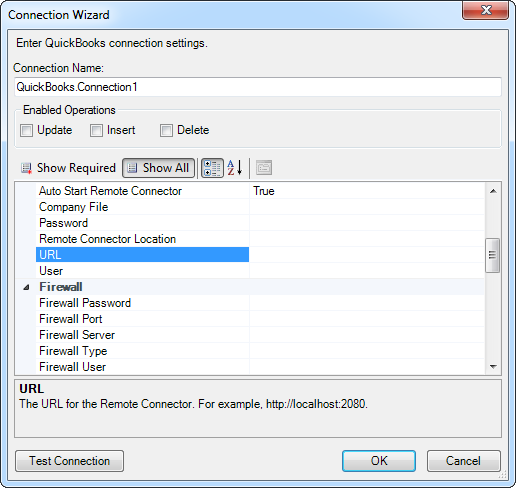
Connections to a remote computer are also possible by configuring the Remote Connector over HTTP and supplying its URL. This setup requires additional configuration compared with a local connection. Excel Add-In for QuickBooks is trialware from CData Software and is available for Windows 10 and Windows 11, in 32-bit and 64-bit environments. It is intended to work with Microsoft Excel and QuickBooks; the precise connection options depend on the local QuickBooks setup and the data being accessed.