Fiddler for Windows 10 - Full description
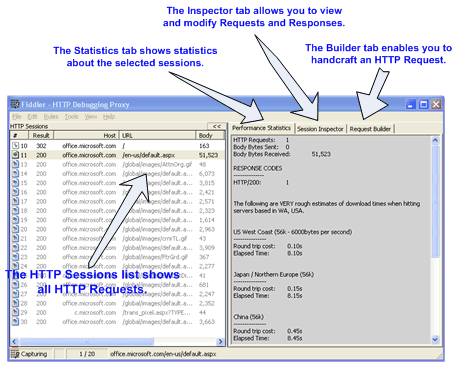
Fiddler is an HTTP and HTTPS debugging proxy for developers and IT professionals who need to examine communication between applications and web servers. It captures requests and responses as they pass through the proxy, making network activity visible for troubleshooting web applications, investigating unexpected behavior, and checking how services exchange data.
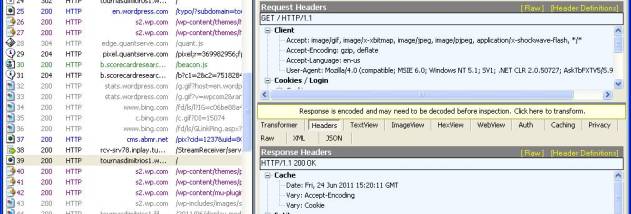
Captured sessions can be inspected in detail, including request and response headers, cookies, and payloads. This helps locate problems such as incorrect server responses, missing data, or unexpected request contents. Filters narrow the session list to relevant traffic, so a developer can focus on a particular request or type of activity rather than reviewing every exchange. Fiddler can also decrypt HTTPS traffic for inspection, which is useful when diagnosing secure connections; inspecting encrypted traffic requires configuring the relevant certificate and should be done only in an authorized testing environment.
The proxy can be used to manipulate traffic as well as observe it. Developers can change requests or responses to test how an application handles different data, errors, and server behavior without first changing the application or backend. A scripting subsystem supports automation and customization for repeatable debugging tasks, while add-ons and extensions can expand the tool for specific workflows. These capabilities make it possible to move from spotting a suspicious exchange to reproducing and investigating it in a controlled way.
Fiddler is useful during web development, API testing, and network troubleshooting. A developer might capture a session to determine why a page or feature is not receiving the expected response, compare the data sent before and after a code change, or check how a client behaves when a response is altered. IT professionals can use the captured traffic to investigate application connectivity and identify where an exchange differs from expectations. Its session-based view also provides a practical record of activity during a test.
Fiddler is trialware from Telerik and is available for Windows, including Windows 10 and Windows 11, as well as several Windows Server releases. It is a desktop proxy tool, so applications and devices must be configured to send traffic through it for that traffic to be captured. HTTPS inspection and traffic modification can expose sensitive information or affect application behavior; testing should be limited to systems and data the user is authorized to inspect.