Firefox 23
Mozilla Firefox is a web browser for people who want to visit websites, search ... bar. The interface consolidates menu commands in the Firefox button on Windows and Linux, with the Home ...

Mozilla Firefox is a web browser built on Mozilla's Gecko engine. Its Awesome Bar suggests pages from history, bookmarks and open tabs while typing, and can switch to a site that is already open. Tabbed browsing, App Tabs and Panorama groups help organize multiple pages, while a dedicated bookmark control keeps saved links accessible. The freeware installer targets older Windows releases.
| Author: | Mozilla Foundation |
| License: | Freeware |
| Price: | FREE |
| Released: | Mar 18, 2014 |
| File size: | 24.00 MB |
| Downloads: | 411 |
| Keywords: | user-friendly interface, Firefox 28, mozilla browser, mozilla explorer, Windows 10 compatibility, mozilla firefox, firefox, high-speed browsing, x64 software, internet explorer, internet browser, mozilla, web browser, browser, internet, firefox browser, Mozilla browser, browser with bookmarks, tabbed browsing, Mozilla Foundation |
| Author URL: | https://www.mozilla.org/ |
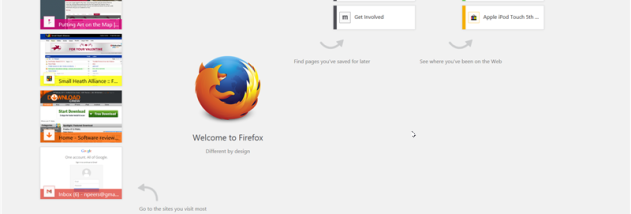

Mozilla Firefox is a web browser for people who want to visit websites, manage bookmarks and keep several pages open in one application. It uses Mozilla's Gecko engine to display web pages and supports web standards. Its interface brings common browsing controls together while leaving the main area for page content.
The location bar, also called the Awesome Bar, finds sites as a user types. Suggestions can come from browsing history, bookmarks and currently open tabs, so a remembered page can be reached without knowing its full address. Firefox can also detect when a requested site is already open and switch to that tab instead of creating a duplicate. A combined reload and stop control handles page loading from the same place.
Tabbed browsing keeps separate sites within one window, and App Tabs provide a fixed place for pages that stay open frequently, such as webmail. For larger sessions, Panorama groups tabs into named, movable sets, making it easier to separate research or other browsing tasks. Bookmarks have a dedicated control for finding and managing saved links, while the toolbar and menu layout provide access to browser commands without opening a separate window for each task.
These tools suit everyday browsing as well as research that involves comparing multiple pages, returning to frequently visited sites or keeping ongoing web services handy. Firefox's open-source development is backed by the Mozilla Foundation, a nonprofit organization focused on openness and innovation on the web. Community contributions have made the browser available in many languages, and its extension and theme ecosystem lets users add functions or adjust its appearance.
Firefox is freeware and the supplied installer is intended for older Windows releases, from Windows XP through Windows 8. It is a legacy release rather than a current browser edition, so it should not be treated as receiving present-day security fixes or as suitable for sensitive browsing. Its compatibility should be checked before installation on newer Windows systems.