AceErase
Welcome to the Windows 10 download page for AceErase, a cutting-edge software solution developed by IT Works Software, Inc. This powerful tool is designed to safeguard ...

Flying Carpet transfers files directly between nearby devices using Wi-Fi Direct, so sharing does not depend on an internet connection, a cable, or a shared network. It encrypts data end to end during transfer and supports Windows, macOS, and Linux, making it useful for moving files between different types of computers. The open-source utility is designed around a straightforward transfer workflow.
| Author: | Theron Spiegl |
| License: | Open Source |
| Price: | FREE |
| Released: | Jan 3, 2026 |
| File size: | 11.40 MB |
| Downloads: | 171 |
| Keywords: | wifi direct file transfer, innovative software, user-friendly interface, encrypted file transfer, software, open source file sharing, encrypted transfer, move file, GitHub, Theron Spiegl, Windows 10, encrypt, transfer file, download Flying Carpet, transfer, wireless file sharing, cross platform file transfer, Flying Carpet, development, wireless, open-source, transfer files without internet, move, Flying Carpet free download, seamless experience |
| Author URL: | https://github.com/spieglt/FlyingCarpet |
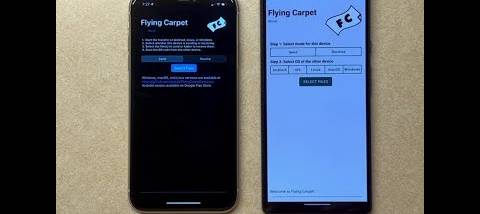
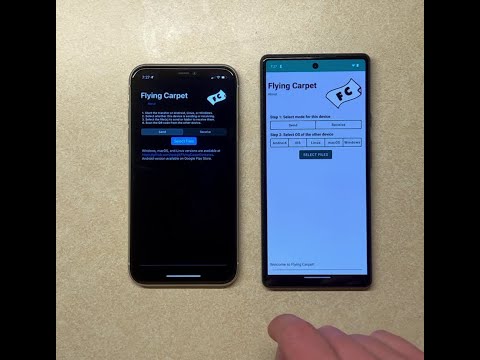


Flying Carpet is an open-source file transfer utility for moving files directly between nearby devices over Wi-Fi Direct. It is intended for people who need to share documents, photos, or other data without relying on an internet connection, a shared network, or a cable. The Windows build supports 64-bit Windows 10 and Windows 11, and the software is also available for macOS and Linux, making it useful when the devices involved run different operating systems.
The transfer process uses Wi-Fi Direct to create a wireless connection between devices rather than sending files through a cloud service or conventional network. This can be useful where internet access is absent or unreliable, or where setting up a shared network would be inconvenient. Once devices are connected, files can be sent directly between them. The approach is suited to one-off sharing as well as routine transfers between computers in close proximity.
Flying Carpet encrypts transfers end to end, helping protect file contents while they move between devices. This is relevant when sharing work documents or other information that should not be exposed to nearby network traffic. Its interface is designed to keep the transfer workflow straightforward, so users can focus on selecting and moving files rather than configuring network infrastructure. Wi-Fi Direct provides the link; encryption protects the data in transit.
Typical uses include moving files between a laptop and another computer, sharing photos or documents with someone nearby, and transferring data in locations with limited connectivity. Cross-platform support makes it an option for mixed Windows, macOS, and Linux environments, such as a household or workplace where not every device uses the same system. It can also serve as an alternative to removable storage when a direct wireless transfer is more convenient.
Flying Carpet is free and open source, and its source code can be inspected or contributed to by developers. On Windows, it is intended for 64-bit editions of Windows 10 and Windows 11. Transfers require compatible devices within wireless range and Wi-Fi Direct support; the software is designed to work without an internet connection. As with any direct device-to-device transfer tool, the sender and recipient need to be ready to establish the connection before files can be moved.