Folder Guard for Windows 10 - Full description
Folder Guard is a Windows security utility for people who need to control access to files, folders and selected system resources on a shared or individually used computer. It lets users apply restrictions locally, making it useful at home or in workplaces where different people use the same PC and should not have identical access. Rather than replacing account security, it adds configurable controls over particular items and settings.
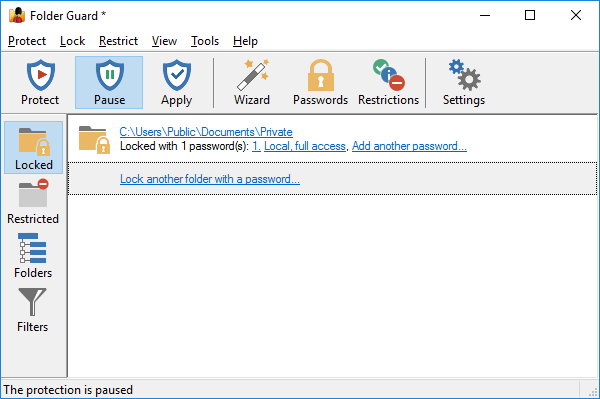
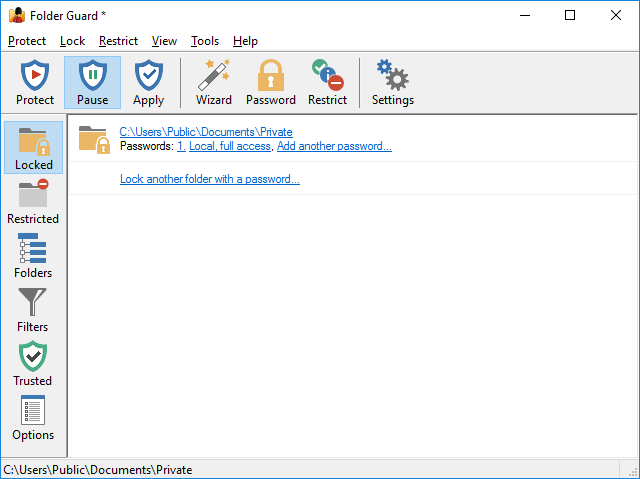
Files and folders can be hidden, password-protected or restricted so that other users cannot view or modify them. These controls help keep private documents out of casual view and reduce the chance of unwanted changes to important data. Folder Guard's configuration interface provides a place to set and manage permissions, with granular options for users who need to tailor restrictions to particular files, folders or access needs.
Protection can extend beyond stored documents. Folder Guard can limit access to Windows system settings and Control Panel options, and restrict the use of USB drives. These options are relevant when a computer is shared or managed under specific rules: an administrator can limit access to selected system controls or removable storage as part of the same local security setup. The program operates in the background while its configured restrictions are in effect.
Security settings can be backed up and restored, which helps preserve a carefully configured setup when system changes or a reinstallation make it necessary to recover those settings. This is useful for maintaining consistent restrictions without having to recreate each policy from scratch. Typical uses include keeping personal folders private on a family computer, preventing access to work files on a shared workstation, and restricting system or removable-drive access on managed PCs.
Folder Guard is trialware from WinAbility Software Corporation. It supports Windows 10 and 11, as well as several Windows Server releases and earlier Windows versions. Its controls govern access on the computer where it is installed; it is intended for local file, folder and system-resource restrictions rather than as a replacement for backups or broader network security. Administrators should configure restrictions with care so that legitimate users retain access to the files and settings they need.