HTML-Kit
HTML-Kit is a Windows editor and integrated development environment ... web and programming languages. Its editing tools cover HTML, XHTML, XML, CSS, XSL, JavaScript, VBScript, ASP, PHP, ...

Fresh HTML is a freeware Windows editor for creating and updating web pages. Its WYSIWYG workspace supports visual changes, while a built-in HTML editor lets users adjust the source directly. CSS and tag-attribute inspectors, tree-view navigation, table tools, templates, spell checking and browser preview support everyday page work. It also handles metadata, script links and several legacy media features.
| Author: | Fresh Devices |
| License: | Freeware |
| Price: | FREE |
| Released: | Sep 19, 2012 |
| File size: | 4.60 MB |
| Downloads: | 413 |
| Keywords: | css style inspector, free html creator, free html maker, free html editor, free html software, html source editor, wysiwyg html editor, user-friendly interface, web design software, free, html, html templates, HTML editor, Fresh Devices, Fresh HTML, free html tool, html page creator, code generator |
| Author URL: | https://www.freshdevices.com/ |
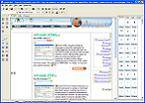

Fresh HTML is a freeware HTML editor for webmasters and other users who want to create or modify web pages on a Windows computer. Its WYSIWYG workspace presents a page in a visual editing interface, making basic layout changes approachable without writing every tag by hand. A built-in code editor gives users who know HTML a way to inspect and adjust the underlying markup directly, so visual editing and source-level work can be combined in one application.
The editor includes tree-view editing for navigating a page's structure, along with inspectors for CSS styles and HTML tag attributes. These tools help locate page elements and review or change their presentation and settings. A table-creation feature assists with arranging information in rows and columns, while color schemes provide coordinated choices for backgrounds, text and links. Users can also work with metadata such as keywords, descriptions and author details, and set options including the document's base URL, target window, stylesheet and icon links, and robots meta tag.
For common page components, Fresh HTML offers a button-generation wizard, icon packs and website or HTML templates. Spell checking can help catch text errors during editing, and a browser preview provides a way to inspect a page outside the editor. The program can link JavaScript and VBScript files and edit those scripts, as well as work with embedded media formats and applets supported by the relevant browser or runtime. Other available controls cover ActiveX content, auto-refresh settings and marquee text. Background sound links for MIDI, WAV and AU files are also supported; marquee text and background sound are non-standard web practices and may not work consistently in modern browsers.
Fresh HTML can be used for building simple sites, editing existing HTML documents, preparing page metadata, or maintaining older pages that rely on technologies such as Flash, RealMedia or ActiveX. Its visual tools suit straightforward changes, while the source editor and inspectors provide more control when a page needs precise markup or style adjustments. Browser preview is useful for checking the result, though rendering can vary between browsers and current browsers may not support some older embedded formats or behaviors.
The software is freeware and is intended for Windows. Listed compatibility includes Windows 10, as well as several earlier Windows releases; Windows 11 support is not established. The program combines page editing, code access and preview in a single desktop workflow, without requiring users to switch between separate visual and source editors.