OCR in Windows 10
Welcome to the home of OCR in Windows 10, a revolutionary software developed by StellarTech Solutions. This ... text, enhancing your productivity and efficiency. OCR in Windows 10 is a game-changer in the world of Optical ...

Multipass is an open-source virtual machine manager for launching and managing Ubuntu instances from the command line. It helps developers and IT professionals create clean environments for testing, development and sandboxing. Cloud-init can configure machines at startup, while mounted directories provide access to host files. On Windows, Multipass uses Hyper-V and supports 64-bit Windows 10 and Windows 11.
| Author: | Canonical Ltd |
| License: | Open Source |
| Price: | FREE |
| Released: | Jul 10, 2025 |
| File size: | 54.70 MB |
| Downloads: | 1009 |
| Keywords: | benchmark, render, fur rendering, x64 software, manage linux virtual machines, openGL, launch ubuntu vm, cloud-init virtual machine, FurMark, benchmarking tool, pixel shader, multipass download, openGL benchmark, Windows 10, ubuntu virtual machine manager, oZone3D.Net, GPU stress test, ubuntu development environment |
| Author URL: | http://www.ubuntulinux.org |


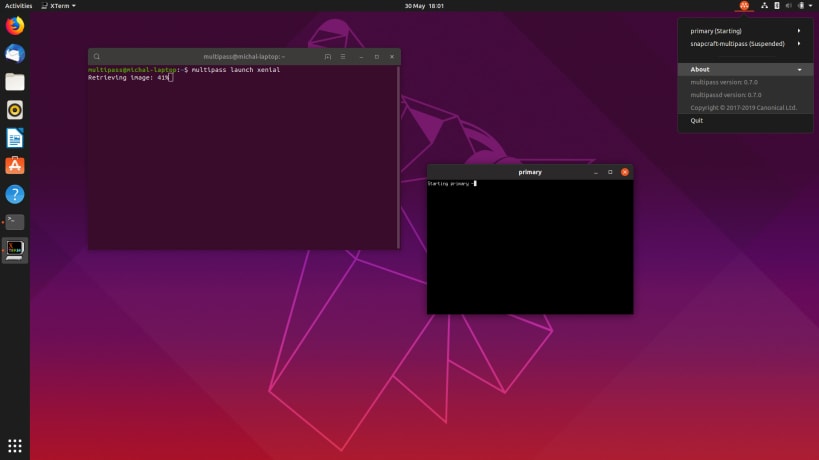



Multipass is an open-source virtual machine manager for creating and running Ubuntu environments on a desktop computer. It is aimed at developers, IT professionals and other users who need disposable or repeatable Linux systems for software development, testing, learning or isolated tasks. Instead of requiring manual setup for each machine, it provides a command-line workflow for launching and managing Ubuntu instances.
A new virtual machine can be started with a command, making it practical to create a clean environment for a project or test without changing the host system. Instances can be stopped, inspected and removed from the same workflow, so temporary environments do not have to become permanent installations. Multipass offers Ubuntu images that include long-term support releases and daily builds, allowing users to choose a stable base or a newer development image according to their needs.
At launch, cloud-init and cloud-config scripts can configure an instance automatically. This is useful for preparing packages, users and other setup steps consistently across machines, rather than repeating them by hand. Multipass can also mount local directories inside a VM, giving the guest access to host files for editing, building or testing. Its networking is configured automatically so instances can communicate with one another and the host without requiring manual network setup for typical use.
On Windows, Multipass uses Hyper-V as its hypervisor. It is also available for macOS and Linux, where it uses platform-specific virtualization backends, and provides a consistent command-line approach across systems. Virtual machines provide an isolated place to run Linux tools and workloads, which can help keep experiments separate from the main Windows environment. Multipass can support development workflows involving technologies such as Docker and Kubernetes by providing an Ubuntu system in which to work.
The Windows edition is intended for 64-bit Windows 10 and Windows 11 systems. Multipass is open source and is available at no cost. Its command-line interface suits users comfortable with terminal-based tools; it is not a graphical desktop environment or a general-purpose Windows application launcher. The program focuses on Ubuntu virtual machines, with instance images and startup configuration providing the main choices for tailoring an environment.