Intermapper for Windows 10 - Full description
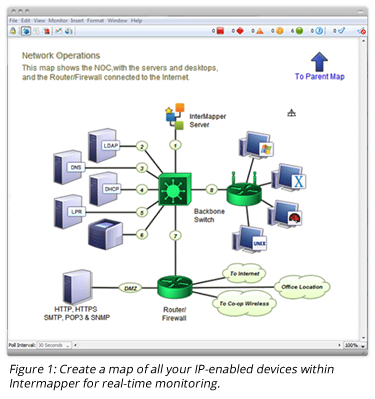
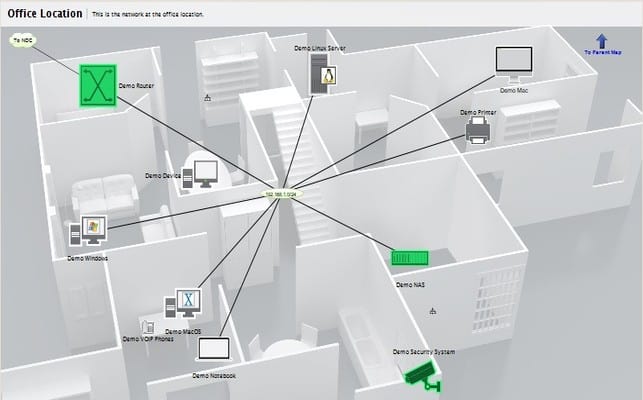
Intermapper is network monitoring software from Fortra for IT staff responsible for keeping devices, links, and services available. It represents network infrastructure as a visual map and monitors its condition, helping administrators spot failures and performance changes without relying only on separate device-by-device checks. The map can be customized to reflect the way a network is organized and updated as the network changes, giving teams a current overview of connected equipment and relationships.
The software monitors a range of devices and interfaces using protocols that include SNMP, TCP, and HTTP. In practice, administrators can use these checks to track whether network components respond and to observe their status over time. A visual map makes it easier to locate a problem area and understand which parts of the infrastructure may be affected. The breadth of supported protocols helps it fit environments containing different types of network equipment and services.
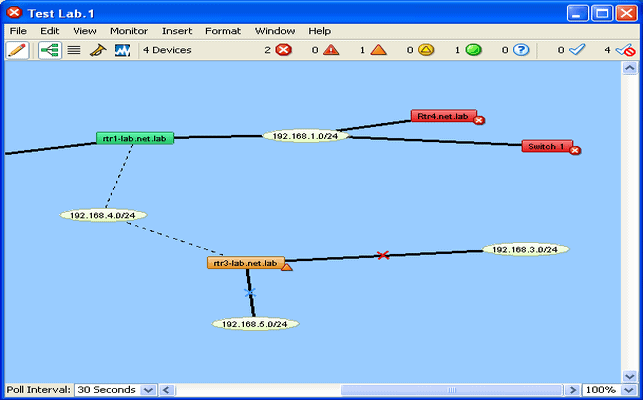
Intermapper can raise alerts when monitored conditions meet configured thresholds, helping teams investigate issues before they become larger outages. Notifications can be delivered by email or SMS, with support for third-party integrations. The alerting setup lets administrators define which conditions warrant attention, while the map provides context for locating the affected device or connection. This combination is useful for both routine oversight and responding to unexpected interruptions.
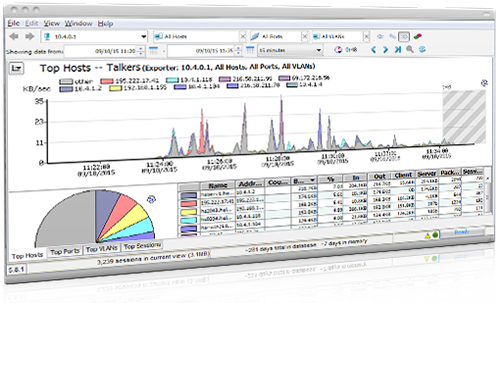
Reporting and historical performance data help administrators review network behavior beyond the current status view. Reports can reveal recurring changes and longer-term trends, which can inform capacity planning, maintenance, and decisions about upgrades. Teams can use the collected information to compare conditions over time and identify areas that may need investigation, rather than treating monitoring solely as a way to respond to immediate faults.
Intermapper is suited to organizations that need a visual overview of network infrastructure, from smaller business networks to larger environments. It is trialware and is available for Windows 10 (32-bit and 64-bit), Windows 11, and Windows Server 2016, 2019, and 2022. Monitoring scope and alert thresholds depend on how administrators configure the environment; the software's central workflow is to map network elements, monitor them, review alerts, and use reports to guide ongoing network management.