IPSentry Network Monitoring Suite for Windows 10 - Full description
IPSentry is a Windows-based network and systems monitoring suite for IT administrators, support teams and service providers who need to track the health of servers and other infrastructure from a central interface. It can monitor environments ranging from a single server to hundreds of devices, helping staff identify service interruptions and other issues without checking each system manually.
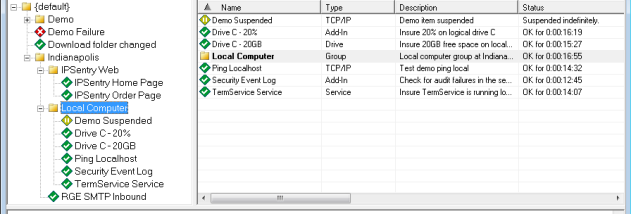
Monitoring checks cover internet and intranet servers, routers, modems, databases and services. Simple ping tests can show whether a device is reachable, while more detailed checks can use database query thresholds, SNMP value changes and performance counter values. IPSentry can also watch event logs and system performance data. Administrators configure checks around thresholds relevant to their environment, so an alert can be triggered when a monitored value crosses a limit or a system stops responding.
When a check detects a problem, IPSentry can send notifications through email, pager or cell phone, and can provide audible alerts. It also supports responses intended to help staff address common faults: configured actions can restart services or reboot systems, while external power-control options can operate connected lights or sirens. These notifications and actions give teams several ways to learn about an incident and respond, whether they are working at the monitoring console or need to be contacted remotely.
The suite is suited to ongoing monitoring of network infrastructure, including routine availability checks and more specific tests of databases, services and device metrics. A small team can use it to watch essential servers and routers, while administrators overseeing a larger network can apply different checks to a broader set of systems. Centralized monitoring helps bring status checks and alerts into one workflow, supporting faster investigation when a threshold is exceeded or a device becomes unavailable.
IPSentry is commercial trialware from RGE, Inc. It is a Windows application, with support listed for Windows 10 and Windows 11 as well as earlier Windows releases. Its monitoring approach depends on administrators defining the devices, tests, thresholds and alert or response options appropriate to their networks. Organizations should confirm that required external alerting and power-control equipment is available and configured for the actions they plan to use.