Jutoh Portable for Windows 10 - Full description
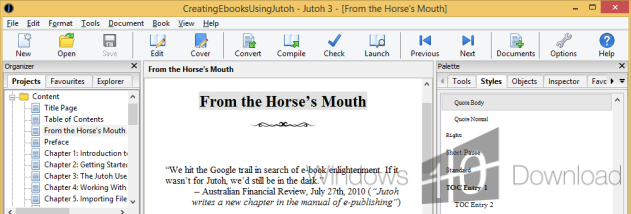
Jutoh is an ebook authoring program for writers and publishers who want to prepare books for digital distribution. It can turn existing documents into ebook projects or provide a workspace for creating a book from scratch. The built-in editor handles text and paragraph formatting, while custom paragraph styles and CSS give authors control over a book's appearance without requiring them to build every page manually.
A New Project Wizard imports material from HTML, plain text, ODT files and existing EPUB books. Authors can also start with the editor and organize their writing into a book project. Jutoh exports EPUB, ODT, single-page HTML and plain text; Mobipocket output is available when the Kindlegen application is installed. Importing HTML or EPUB does not retain their CSS style definitions, so imported books may need styling adjustments in Jutoh.
The program includes tools for preparing a book's structure and presentation. A table of contents can be generated from chapter titles, or built with a wizard that uses heading styles and lets authors adjust entries and add links. The cover designer offers templates that can be rearranged and customized with text and images; it can also use book metadata to update relevant cover text. Configurations allow a project to have different covers, style sheets or content variations, such as publisher-specific title pages.
For quality checks, Jutoh includes EPUB validation with EPUBCheck and displays detected errors in context in its source viewer. The viewer can search within a document, jump to a line and inspect EPUB files, including books not created in Jutoh. Authors can add ebook reader applications to the program and open a generated book in a chosen viewer to review its appearance. Automatic text replacements can handle conventions such as converting (c) to ©, and a spellchecker helps find typographical errors.
Jutoh is suited to independent authors and publishers preparing ebooks for stores and reading applications, as well as writers who need to produce several editions from one project. Its demo license lets users evaluate the authoring workflow. The program is available for Windows, including Windows 10 and Windows 11; Mobipocket export requires the separate Kindlegen application.