K-Lite Codec Pack Standard for Windows 10 - Full description
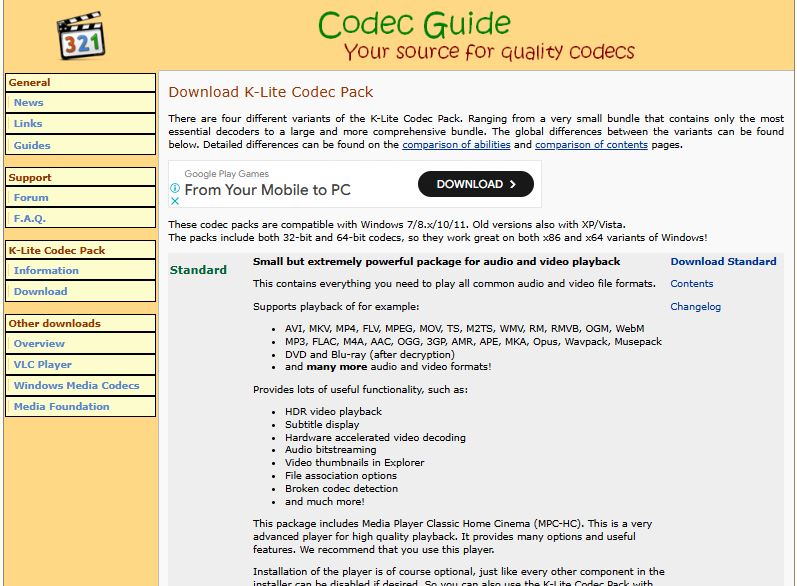
K-Lite Codec Pack Standard is a Windows package of audio and video components for users who need additional format support in media players. It installs decoders and related settings together, helping applications play files that might otherwise require separate codec downloads. The package also includes Media Player Classic Home Cinema (MPC-HC), providing a player for opening and watching media files.
The pack includes LAV video and audio decoders for common formats such as H.264, H.265, VP9 and AV1. These components allow compatible media players to decode supported audio and video streams. Available playback and acceleration options can depend on the computer's hardware and configuration, so the installer provides choices for hardware acceleration rather than requiring every system to use the same settings.
A guided setup offers Normal and Advanced installation modes. Normal suits users who want to install the standard configuration with minimal decisions, while Advanced lets users review and adjust more of the setup. The installer also provides options for choosing media defaults and configuring MPC-HC. Its available settings include automatic subtitle downloading and volume normalization, which can help with subtitle access and more consistent playback volume.
The bundled Codec Tweak Tool provides a place to review and change codec-related settings after installation. It can be useful when correcting configuration issues or changing choices made during setup; users unfamiliar with individual decoding options can keep the defaults or consult the tool's help before making adjustments. Together, the player, decoders and configuration utilities make the pack useful for everyday video and audio playback, as well as for resolving cases where a media application cannot open a particular format.
K-Lite Codec Pack Standard is freeware for Windows. It supports Windows 11 and Windows 10, as well as older Windows releases. The pack is intended to add playback components and configuration options; it does not replace the need for a media player, although MPC-HC is included. Hardware acceleration and the formats available in practice depend in part on the system and its installed hardware.