XP Codec Pack
XP Codec Pack is a freeware collection of audio and video ... each playback component separately. The pack also includes Media Player Classic, a compact player that brings file playback into ...

K-Lite Codec Pack Standard adds audio and video decoding components to Windows so compatible desktop players can open a wider range of media files. The package includes Media Player Classic Home Cinema, configuration tools and MediaInfo Lite for inspecting file details. Its installer lets users choose components and settings. It is freeware for Windows 10 and 11.
| Author: | Codec Guide |
| License: | Freeware |
| Price: | FREE |
| Released: | Sep 16, 2024 |
| File size: | 37.00 MB |
| Downloads: | 638 |
| Keywords: | klite codec full, klite, codec pack, Windows 10 compatibility, k-lite codec pack standard, multimedia playback, audio video codecs, lite mega pack codec 4.1.8, Codecguide, lite, windows codec pack, klite codec, codec, lite codec pack, media file information, user-friendly interface, quicktime, media player classic, K-Lite Codec Pack Standard, pack lite, quicktime codec 6.5, quicktime codec, x64 software, lite codec, media playback codecs, codecs |
| Author URL: | https://www.codecguide.com/features_full.htm |



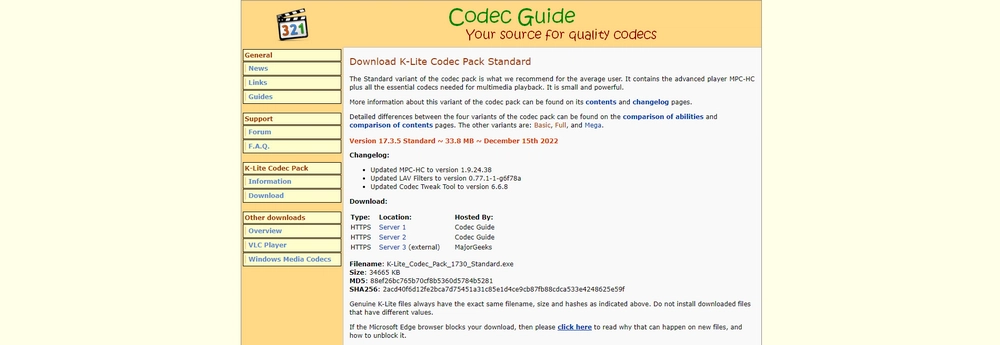

K-Lite Codec Pack Standard is a free collection of media components for Windows, intended for people who want to play a broad range of audio and video files in familiar desktop players. It supplies codecs and DirectShow filters that let supported applications decode media formats they may not handle on their own. Rather than replacing a media library or organizing files, it adds playback support to compatible software already in use.
The pack works with players such as Windows Media Player and includes Media Player Classic Home Cinema, a lightweight player for opening local media files. Its included decoding components handle many common audio and video formats, so a file that previously failed to play may work without installing a separate codec for each format. Playback still depends on the file's encoding and the player or application being used; no codec collection can guarantee support for every file.
Installation offers choices about which components and settings to use, making it possible to keep the setup focused on playback needs. The included configuration tools help inspect or adjust codec and filter settings, while MediaInfo Lite can display technical details about a media file, such as its tracks and encoding. These tools can help identify why a particular file behaves differently across players or determine which audio and subtitle tracks it contains.
K-Lite Codec Pack Standard is useful for watching downloaded videos, playing music, and opening media files in desktop applications that rely on Windows playback components. It can also assist people who work with media and need common decoding support available across compatible programs. Users who already have a player with its own built-in decoders may not need a system-wide codec pack for that player, but other Windows applications can use the installed components.
Codec Guide distributes the pack as freeware for Windows. It supports Windows 10 and Windows 11, as well as earlier Windows versions. The installer provides control over the selected components; care with optional settings can help avoid changing existing player preferences. The Standard edition is a playback-focused package, not a full video editor or media conversion suite, and it does not itself provide a catalog of media to play.