Kruptos 2 (x64 bit)
Kruptos 2 is a file encryption utility for Windows ... each item. When an encrypted file needs editing, Kruptos 2 can decrypt it for use and automatically ...

Kruptos 2 protects files and folders with password-based 256-bit encryption. It can conceal filenames, encrypt email attachments and create self-extracting encrypted files for sharing. Windows Explorer integration makes it possible to encrypt files from their usual location, while automatic re-encryption after editing helps prevent an unprotected copy from being left behind. A built-in shredder permanently deletes files.
| Author: | Kruptos 2 |
| License: | Trialware |
| Price: | $10.99 |
| Released: | Aug 28, 2017 |
| File size: | 11.40 MB |
| Downloads: | 286 |
| Keywords: | password protect files, process, encrypt folders, File security, Password manager, encryption solution, securely process, decryption, Secure file deletion, encrypt email attachments, secure cloud files, User-friendly interface, Data protection, file shredder, file encryption software, Encryption software, process file, encryption |
| Author URL: | http://www.kruptos2.co.uk/ |
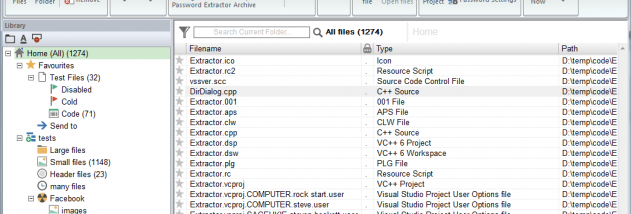

Kruptos 2 is a file encryption utility for people who want to keep personal or business documents private on a Windows computer. It protects files and folders with password-based 256-bit encryption, so their contents cannot be read without the password. Photos, videos, tax records, financial information and other file types can be encrypted, making the program useful for securing sensitive material stored locally or prepared for sharing.
The program can encrypt multiple files and folders, and it can also conceal filenames. Filename encryption helps keep details about a file private even when someone can see the encrypted items. Windows Explorer integration places encryption actions in the file manager, allowing files to be protected from their usual location rather than through a separate, elaborate workflow. When an encrypted file is opened for editing or viewing, Kruptos 2 can encrypt it again after the work is finished, reducing the chance that an unprotected copy is left behind.
For transfers, Kruptos 2 can create encrypted self-extracting files and encrypted email attachments. These options let recipients access protected material without requiring the sender to share the original files in an unencrypted form. Encrypted files can also be stored with cloud backup services such as Dropbox: encryption happens before the files are placed in shared or backed-up storage, adding protection if those files are exposed. The program includes a file shredder designed to permanently delete files so that common undelete tools cannot restore them.
Kruptos 2 suits people who need to protect confidential records on a personal computer, secure files before sending them, or add a layer of privacy to files held in cloud storage. It can also help safeguard data if a computer is lost or accessed by someone else, provided the password remains private and secure. A password analyser is included to help assess password strength, and the program can use files as passwords. These tools support the encryption workflow but do not replace careful password handling.
Kruptos 2 is trialware and integrates with Windows Explorer. The available system information lists support through Windows 10; compatibility with Windows 11 is not established here. Encryption protects access to the encrypted copy, so files should be encrypted before they are backed up or shared, and the password must be retained to recover their contents. As with any encryption utility, losing the password can make protected files inaccessible.