Microsoft OneNote 2010 for Windows 10 - Full description
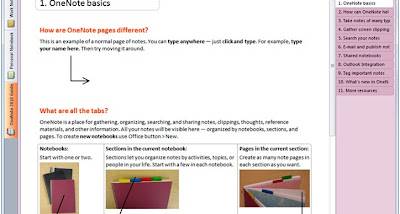
Microsoft OneNote is a digital notebook for students, office workers and anyone who wants to keep notes and reference material organized on a Windows PC. Instead of arranging everything in a single document, it lets users create notebooks, divide them into sections and add pages for individual subjects, projects or meetings. Pages provide a flexible space for typed notes, handwriting and drawings, making the program useful for both structured records and quick, informal capture.
The notebook structure helps keep related information together while allowing notes to be arranged around the way a person works. A student can separate classes into sections and keep lecture notes on individual pages; a team member can group meeting records by project. Search helps locate words or details across notes, and tags can mark important items, questions or tasks so they stand out when reviewing a page. These tools make it easier to retrieve information without relying on a strict filing system.
OneNote can hold more than plain text. Users can add images, audio recordings, files and web clippings to a page, bringing source material and written comments into the same place. Screen capture is useful for saving a portion of what is visible on the desktop, such as a chart or reference passage, alongside notes explaining it. Handwriting and drawing support suits people who prefer to sketch diagrams, annotate material or write by hand rather than type every thought.
The program can serve as a personal research archive, a place for class notes, a meeting notebook or a workspace for planning and brainstorming. Keeping related materials on pages makes it practical to revisit information later, while tags and search help with scanning larger collections. OneNote also works with other Microsoft Office applications, so notes can fit into workflows that already use Office documents, spreadsheets or email. Sharing notebooks can support collaborative work, although the available options depend on the services and setup in use.
Microsoft OneNote 2010 is freeware and is intended for Windows computers. The supplied system information includes Windows 10 and Windows 11, as well as several earlier Windows releases and Windows Server editions. The download is a desktop application, so it is suited to users who want a notebook on their PC rather than a browser-only note service. Its core organization and capture tools can be used for everyday notes without requiring a paid license.