Free Audio Converter
Welcome to the home of the Free Audio Converter, a stellar software offering from the renowned Digital Wave Ltd. This Windows 10 compatible software is your one-stop solution for all your ...

Moo0 AudioTypeConverter is a freeware utility for converting audio files between MP3 and WAV. Files can be added by dragging and dropping them onto the application, keeping the process simple for users who need a format change without an audio-editing workflow. Its focus is limited to these two formats.
| Author: | Moo0 |
| License: | Freeware |
| Price: | FREE |
| Released: | Jun 27, 2019 |
| File size: | 22.40 MB |
| Downloads: | 294 |
| Keywords: | audio conversion software, mp3 to wav converter, wav to mp3 converter, Audio Converter, convert wav files, user-friendly interface, Convert Audio, Converter, high-quality sound conversion, Moo0 AudioTypeConverter, free audio converter, convert mp3 files, Convert, Conversion, Windows 10 compatible, MP3 to Wav, versatile audio formats support, audio file converter |
| Author URL: | https://www.moo0.com/ |
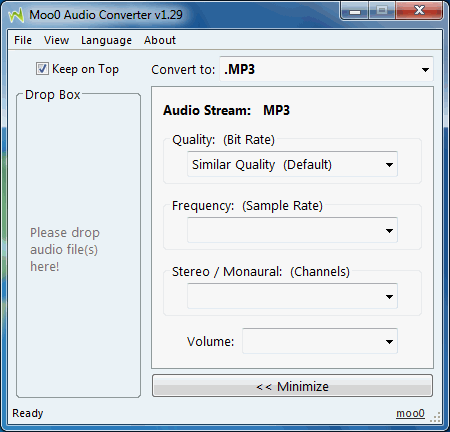
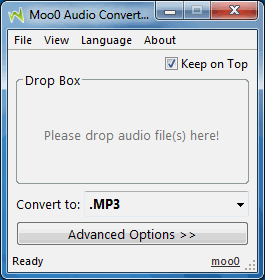


Moo0 AudioTypeConverter is a small audio conversion utility for people who need to change files between MP3 and WAV without working through a complex editing interface. Its central workflow is based on dragging and dropping audio files onto the program, making it suitable for quick, straightforward conversions rather than detailed sound production.
The converter supports MP3 and WAV. A user can add audio files by dropping them into the application, then convert between the two formats. This can be useful when a player, editor or other application accepts one format but not the other. MP3 is commonly used for compact audio files, while WAV is often chosen for uncompressed audio and compatibility with audio tools.
The simple input method keeps the process focused on file conversion: there is no need to import recordings into a multitrack project or learn an editing workflow. It is intended for handling audio files that already exist, rather than recording sound, editing tracks or converting video. Its narrow format support also makes it easy to understand what it can and cannot process.
Typical uses include preparing a WAV file for an MP3-based player or sharing, and converting an MP3 to WAV for software that requires that format. Since conversion between compressed and uncompressed formats does not restore audio information lost in MP3 compression, converting an MP3 to WAV mainly changes compatibility and file structure rather than improving sound quality.
Moo0 AudioTypeConverter is freeware. It supports MP3 and WAV files and is aimed at simple format changes; users who need other audio formats or editing features will need a different tool. The supplied operating-system information includes Windows versions through Windows 10.