Moo0 WorldTime for Windows 10 - Full description
Moo0 WorldTime is a lightweight desktop utility for checking the current time in cities around the world. It is useful for people who communicate or work across time zones and need a quick reference without repeatedly searching the web. The program lets users choose which time entries to display, so the view can focus on the places that matter to them.
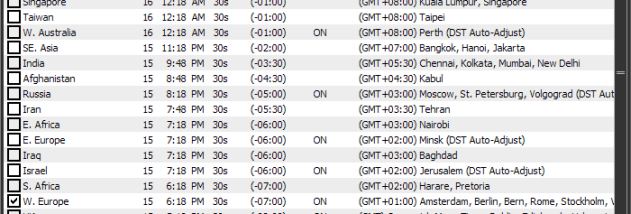
To set up the display, users check the items they want to follow. Additional items can be added or edited using the text button at the lower-right of the window. This makes it possible to tailor the list to colleagues, clients, family members, or destinations, rather than relying on a fixed set of locations. The main purpose is at-a-glance comparison of local times across selected cities.
After the window is closed, Moo0 WorldTime remains available as an icon in the taskbar notification area. A right-click on that icon opens the time view when it is needed, keeping the utility accessible without leaving its window on the desktop. This tray-based workflow suits occasional checks as well as repeated use during the day.
The program can serve as a simple time-zone reference when arranging calls, coordinating schedules, following events abroad, or keeping track of the time for people in other regions. It focuses on displaying current city times rather than providing a broader calendar or scheduling system. Moo0 WorldTime is freeware. The supplied system information lists Windows XP, Vista, 7, and 8, including specified 64-bit editions; it does not establish compatibility with later Windows releases.