Multi Install for Windows 10 - Full description
Multi Install is a menu authoring tool for creating CD or DVD collections that install several programs from one interface. Its editor lets creators organize installable packages and associate them with information files or images, while the included installer presents the collection to its users. It is intended for software distributors, collection publishers and anyone assembling a set of programs for shared installation media.
The editor builds menus that can launch installers and unpack archives. Built-in support covers ZIP, RAR and ACE files, as well as self-extracting EXE packages; other file extensions can be opened by their associated applications. Install progress displays the current file, overall progress, elapsed time and estimated time remaining, helping users track a multi-package setup. The installer can also create Start Menu and desktop shortcuts automatically, and its uninstall function removes files and shortcuts installed through the collection.
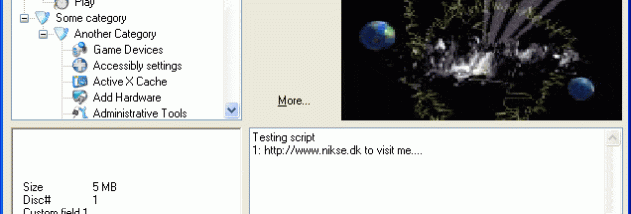
Two installer interfaces are included. Multi Install Classic provides a simple, functional menu, while Multi Install Skinnable supports custom skins for a more tailored appearance. Publishers can associate a screenshot, HTML document or another file with an entry, giving users additional context about a program before launching its installer. The editor includes context-sensitive help available from its fields, and the installer provides an NFO viewer, program search and support for password-protected archives. Encryption is also among the available features.
The skinnable edition includes a music player supporting MP3, OGG, WAV and several tracker formats, including MOD, MO3, XM, S3M, MTM and IT. Interface languages include English, French, Russian, Dutch, Polish and Danish. These options make Multi Install useful for distributing themed software collections, organizing utilities for a project or preparing a disc with multiple applications and accompanying documentation.
Multi Install is freeware and is identified for Windows versions from XP through Windows 10, including listed 64-bit editions where applicable. The download is a compact authoring and installation package; its editor is used to prepare the collection, and one of the supplied installer interfaces is used to run it. The program is centered on menu-based distribution from CD or DVD rather than managing a general-purpose software catalog.