Camera viewer app (formerly CamView)
Discover the Camera Viewer App, formerly known as CamView, a powerful ... and professionals alike, offering seamless access to your camera feeds and images. With its user-friendly interface, you ...

NVR Viewer brings live feeds from compatible NVRs, DVRs and IP cameras into one Windows interface. It connects to devices using their IP address, ONVIF port and credentials, detects connected cameras, and supports ONVIF Profile S plus an ISAPI fallback for Hikvision equipment. View one feed or arrange several in a draggable tiled mosaic, switch between main and sub-streams, capture snapshots and reconnect automatically. Connections are local and use RTSP over TCP.
| Author: | GDZ Software |
| License: | Freeware |
| Price: | FREE |
| Released: | Oct 14, 2026 |
| File size: | 39.00 MB |
| Downloads: | 41 |
| Keywords: | NVR, IP camera viewer, NVR Viewer, NVR viewer, IP camera, download NVR Viewer, camera, camera surveillance software, dvr live stream viewer, ISAPI fallback, NVR Viewer free download, onvif camera viewer, ONVIF Profile S, freeware Windows, DVR, hikvision camera viewer, ip camera viewer, nvr camera viewer, surveillance camera software, RTSP live streaming |
| Author URL: | https://www.gdzsoft.com/ad/# |

NVR Viewer is a Windows camera-monitoring application for viewing live feeds from network video recorders, digital video recorders and IP cameras. It is intended for people managing surveillance equipment from different manufacturers who want to monitor streams in one desktop interface rather than rely on separate brand-specific applications. Connections use ONVIF Profile S where supported, with an ISAPI fallback for Hikvision devices that have ONVIF disabled.
To add a device, the operator enters its IP address, ONVIF port, username and password. The application can then detect cameras connected to that NVR or other device and display their live feeds. This makes setup useful for mixed-brand systems: each device can be added using its network details, without requiring a manufacturer-specific SDK or software suite. Connections can use HTTP or HTTPS, while video is delivered over RTSP via TCP.
Feeds can be viewed one camera at a time or arranged together in a tiled mosaic for an overview of several locations. The tile positions can be changed with drag and drop, which helps match the layout to a monitoring routine or the physical arrangement of cameras. For cameras with multiple streams, the viewer allows switching between the main and sub-stream, so operators can choose the available feed that best suits their viewing needs. It can also capture frame snapshots and automatically reconnect to devices when a connection is interrupted.
The software is suited to local surveillance monitoring in homes, small businesses and other sites using compatible NVRs, DVRs or IP cameras. Because connections are made directly over the local network, the viewing workflow does not depend on online user accounts or cloud servers. That can be useful for installations where local access and avoiding cloud-based camera services are priorities. The application focuses on live viewing and basic monitoring; it does not provide user-defined motion-detection zones, custom zoom controls, adjustable aspect ratios or multi-monitor tile displays.
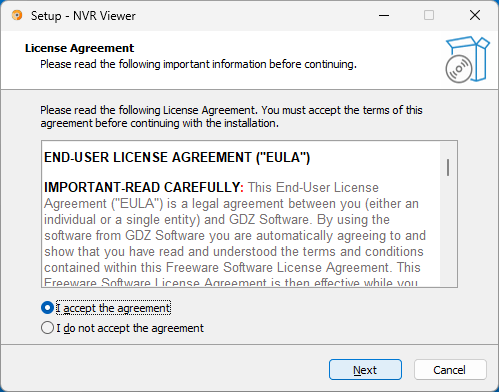
NVR Viewer is freeware for 64-bit Windows 10 and Windows 11. Compatibility depends on the camera or recorder supporting ONVIF Profile S, or on the available Hikvision ISAPI fallback. Network reachability and valid device credentials are also needed to establish a connection. It provides a straightforward way to bring compatible live feeds into a single desktop viewer, without replacing the cameras' recording functions or adding advanced video-management tools.