Portable EML Viewer
Portable EML Viewer is a lightweight utility for opening EML email files without using a full email client. ... HTML files, so it serves as a basic viewer for both email and web-page documents. To inspect a ...

EML Viewer opens email messages saved in EML format without requiring the email client that created them. It displays the sender, recipient, subject, date and message text, with attachments shown in a separate panel. Users can open or save attachments individually, extract them all at once, or export message content to HTML or TXT. A link-disabling option helps avoid accidental clicks while inspecting a message. Command-line export to CSV and an attachments folder is also available.
| Author: | dalecoop |
| License: | Freeware |
| Price: | FREE |
| Released: | Oct 9, 2026 |
| File size: | 2.50 MB |
| Downloads: | 466 |
| Keywords: | eml attachment extractor, download EML Viewer, message, EML Viewer, eml to html, eml viewer, view EML, attachment, open EML, mail, Communications::E-Mail Clients, export EML to HTML or TXT, command line export, extract attachment, open EML files, open eml files, eml to txt, EML Viewer free download, viewer, read eml email, save attachments |
| Author URL: | http://logiciels.dalecoop.com/ |
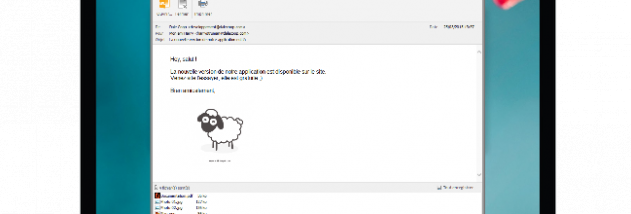



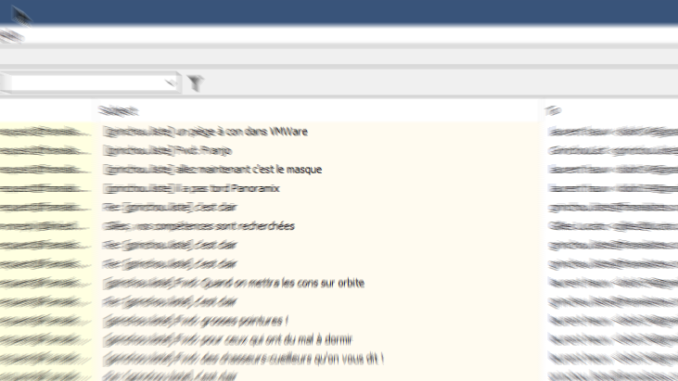
EML Viewer is a lightweight utility for opening and reading email messages saved in the EML format. It is useful for people who need to inspect exported messages without launching the email client that created them, or who want to review archived mail and its attachments. The application presents the message's sender, recipient, subject and date alongside its text, keeping the key details together in one window.
Messages can be opened by selecting an EML file or dragging it into the application. The main panel displays the message text, while a separate lower panel shows any attachments. Each attachment can be opened or saved individually, or all attachments in a message can be extracted together. This makes it practical to retrieve documents and other files from an archived email without manually searching through its contents.
For sharing or preserving message content in a more accessible form, EML Viewer can export message information and text to HTML or TXT. It also provides an option to disable links within the message, helping prevent accidental clicks while reviewing email content. These features suit both routine archive browsing and closer inspection of messages that should be read without following embedded links.
The utility also supports command-line export of EML content to CSV, with attachments written to a folder. This can be useful when processing messages outside the graphical interface or incorporating exports into a basic workflow. The command-line options are less fully documented than the window-based features, so users may need to consult the provided usage example when setting up an export.
EML Viewer is freeware for Windows, including Windows 10 and Windows 11, and is designed as a small, focused alternative to opening a full email client. It is suited to occasional message review, extracting archived attachments, and converting individual messages for easier reading or sharing. It works with EML files; it is not a replacement for an email program used to send or receive mail.