O&O SafeErase Professional x64
O&O SafeErase Professional is a Windows utility for permanently removing files ... sensitivity of the data and the time available. SafeErase can target individual files and folders, memory cards, ...

O&O SafeErase Professional securely deletes files, folders, partitions and entire drives by overwriting selected data rather than relying on standard deletion. It offers methods based on DoD 5220.22-M and German BSI/VS-ITR guidance, Explorer context-menu access, scheduled cleanup, activity reports and removal of browser traces such as cookies and temporary files. It runs on Windows 10 and Windows 11.
| Author: | O&O Software GmbH |
| License: | Demo |
| Price: | FREE |
| Released: | Sep 5, 2024 |
| File size: | 51.00 MB |
| Downloads: | 307 |
| Keywords: | erasure, hard drive cleaning, file shredder, safe erasure, erase partition, x64 software, secure cleaning, secure data deletion, delete, hard drive wiper, securely delete, secure data eraser, privacy protection, secure file deletion, privacy cleanup tool, O&O SafeErase Professional, secure, Windows 10 compatible |
| Author URL: | https://www.oo-software.com/ |






O&O SafeErase Professional is a Windows utility for securely deleting files and other data that should not remain recoverable through ordinary undelete tools. It is intended for home users and organizations disposing of sensitive information, cleaning up private activity, or preparing storage for reuse. Instead of relying on standard deletion, which typically removes a file reference while leaving its contents on the drive, the program overwrites selected data according to a chosen erasure method.
The software can erase individual files and folders as well as partitions and entire hard drives. Users select what to remove and choose a deletion method suited to the task, ranging from faster options to multi-pass overwriting. It includes methods based on standards such as U.S. DoD 5220.22-M and German BSI/VS-ITR guidance. The choice of method affects how the erase is performed and how long it takes, particularly when large volumes of data are involved.
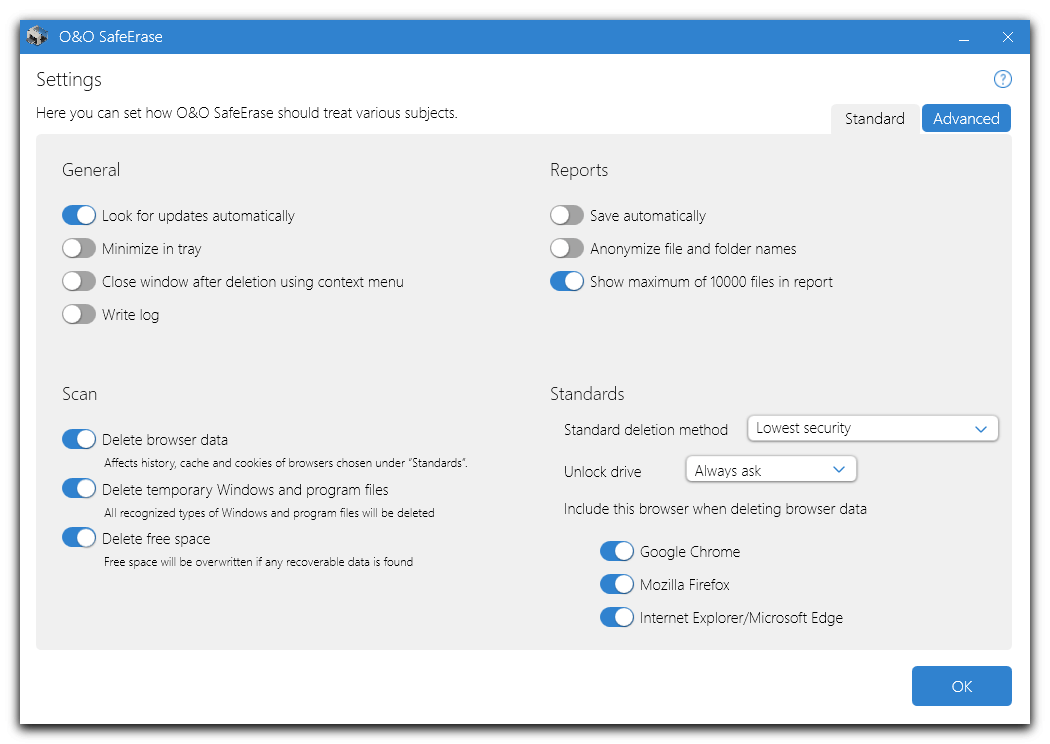
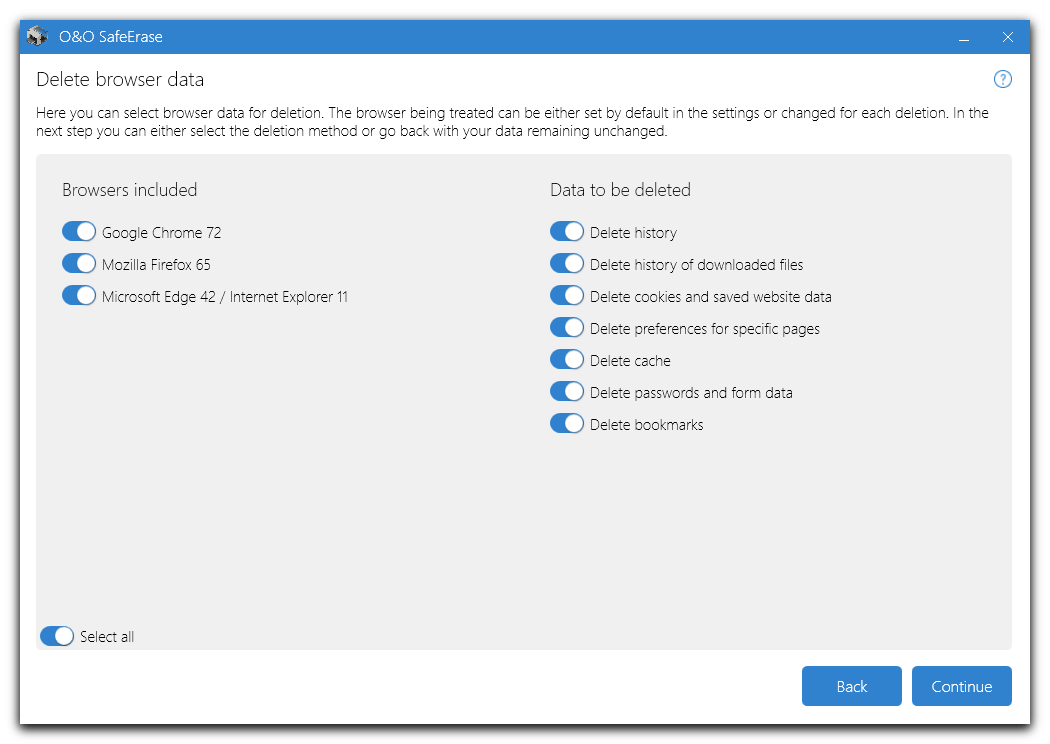
For routine file cleanup, SafeErase integrates with Windows Explorer so that secure deletion can be started from the file context menu. It can also remove traces such as browsing history, cookies and temporary files, which may retain details of past activity. Scheduled deletion is available for automating recurring cleanup, while reports log erasure activity for later review. These features provide a workflow for both occasional deletion and more regular data-sanitization tasks.
Typical uses include removing confidential documents before passing a computer to another person, wiping a partition before reuse, and clearing browser data from a shared PC. Organizations can use the activity reports to keep records of deletion tasks. Secure erasure is distinct from ordinary deletion: the operation overwrites selected data, so it should be used carefully and only on content or storage the user intends to clear. Erasure outcomes can depend on the storage device and the method used; users should keep separate backups of anything they may need later.
O&O SafeErase Professional is offered as demo software and supports Windows 10 and Windows 11, including 32-bit and 64-bit Windows 10 systems. Its Explorer integration and guided selection make common erasure tasks accessible without requiring command-line work, while the range of targets and methods also accommodates more deliberate cleanup. Users should review the selected files, folders or drive before starting, since securely deleted data is not intended to be restored through normal recovery tools.