WinCHM - help authoring software
... comprehensive help files, manuals, and documentation for their Windows 10 applications. WinCHM is a user-friendly help authoring tool that does not require advanced technical skills to ...

OneClickHelp is a help-authoring and conversion toolkit that turns Microsoft Word documents into CHM, HxS, ASPX or HTML files while retaining document structure and formatting. It can also convert CHM and HxS files back to Word, scan folders to create help, build CHM collections and decompile help files. Conversions are available through its interface or command line. HtmlHelp Workshop is required.
| Author: | HelpSoft |
| License: | Shareware |
| Price: | $33.00 |
| Released: | May 22, 2011 |
| File size: | 10.58 MB |
| Downloads: | 434 |
| Keywords: | word to chm, chm maker, Windows 10, chm decompiler, word to chm converter, user-friendly interface, help authoring tool, doc to chm converter, x64 software, docx to chm, chm to word, documentation tool, doc to chm, word to help, doc to help, HelpSoft, OneClickHelp |
| Author URL: | http://www.helpsoft.ru/en/ |
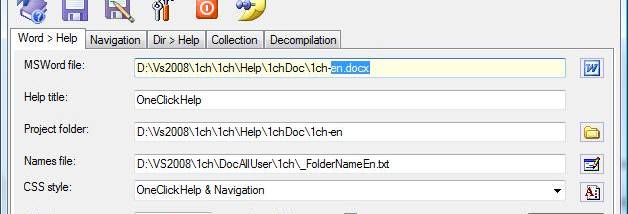
OneClickHelp is a help-authoring and document-conversion toolkit for people who create manuals, software help and other structured reference material in Microsoft Word. It turns a Word document into electronic help while retaining its structure and formatting, so the same source can be used to prepare online reference material and print documentation. Its separate tools also support working with existing help files and building help from folders of content.
The main conversion tool exports Word documents to CHM, HxS, ASPX and HTML formats. The resulting help keeps the source document's organization and appearance, reducing the need to recreate material in a separate authoring environment. Optional additions such as navigation and fixed headers or footers let authors supplement the converted document with elements suited to a help interface. Conversion is available through the program's graphical interface or from the command line, which can fit both manual work and automated document-processing routines.
OneClickHelp also converts CHM and HxS help files back into Word documents. This provides a route for editing or reusing existing help content in a familiar word-processing format. Folder scanning can gather files and use them to create help, while the collection tools assemble CHM collections. A decompilation function extracts the contents of CHM or HxS files for inspection or further handling. These capabilities make the application useful not only for publishing new material, but also for maintaining and reorganizing existing help projects.
Typical uses include converting a Word-based user guide into a browsable help file, preparing web-oriented reference pages, creating a help collection from a folder of documents, or recovering source material from an existing help package. Teams that maintain both printed manuals and electronic help can work from a Word document as a shared source, then use the conversion tools to produce the different outputs. The command-line option is relevant when conversions need to be incorporated into a repeatable workflow.
OneClickHelp is shareware and provides English and Russian interfaces. It requires HtmlHelp Workshop for its help-authoring workflow. The supplied platform information covers older Windows releases and Windows 10; Windows 11 compatibility is not established. The program is intended for users with Microsoft Word documents or CHM/HxS help content who need conversion, collection creation or decompilation tools.