OOF-Admin for Windows 10 - Full description
OOF-Admin is an administration utility for managing the Out of Office settings of Microsoft Exchange and Outlook users. It is intended for administrators who need to update users' automatic replies and related mail-handling options without relying on each user to configure them. Its controls bring several Out of Office tasks together, which can be useful when managing multiple accounts or assisting someone who has left the feature disabled.
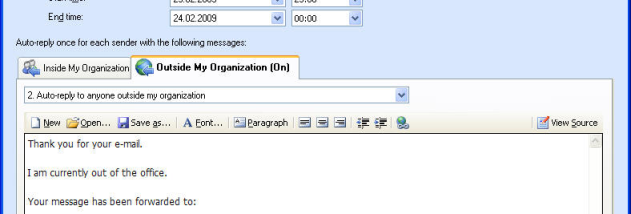
The program can change automatic response text and modify Out of Office rules. Administrators can also set messages and appointments to be forwarded, or send a manual Out of Office reply. These options support common account-maintenance tasks, such as preparing a mailbox for an absence, correcting a reply message, or adjusting how incoming items are handled. OOF-Admin also manages delegates and folder permissions, allowing administrators to address these related access settings from the same utility.
Script-based templates can be used to prepare repeatable Out of Office configurations. This is helpful when a business applies consistent response wording or settings across different users; the templates provide a basis for those configurations rather than requiring every change to be entered from scratch. The interface is available in English and German. MSI installation files are provided for software distribution, making it possible to use an installer format suited to managed deployment.
OOF-Admin is designed for administrative work on Exchange and Outlook user settings. For example, an administrator can update an automatic response, alter forwarding behavior, or manage a delegate's access without asking the mailbox owner to make the change. The software is intended to avoid workarounds such as changing a user's password or creating a new mail profile simply to switch on Out of Office. The actual tasks available depend on the settings and permissions in the mail environment.
The software is shareware and requires Visual Basic Runtime 6.0. Compatibility information names Windows 2000, XP, Vista, Windows 7, Windows 8, and Windows Server; Windows 10 and Windows 11 are not included in that list, so compatibility with those systems should be confirmed before deployment. The interface languages are English and German.