Garden Organizer
Welcome to the home of the Garden Organizer, a groundbreaking software developed by eDataset Software. This Windows 10 compatible application is a must-have for all gardening enthusiasts, ...

PersonalBrain organizes information as a visual network of linked nodes, making connections between ideas, projects, documents, and people easy to explore. Users can add and rearrange nodes, search large networks, and keep related material together. It is useful for research, project planning, brainstorming, and maintaining a personal or shared knowledge base. A demo is available for 64-bit Windows 10 and Windows 11.
| Author: | TheBrain Technologies LP |
| License: | Demo |
| Price: | $219.00 |
| Released: | Feb 28, 2026 |
| File size: | 61.50 MB |
| Downloads: | 252 |
| Keywords: | organizer, sort webpage, organize research notes, mind mapping tool, TheBrain Technologies, document tracking software, mind mapping software, organize, x64 software, sort, organize file, visual knowledge management, project information organizer, dynamic user interface, Windows 10 compatible, PersonalBrain, create information network, linked note taking |
| Author URL: | https://www.thebrain.com/products/thebrain/ |


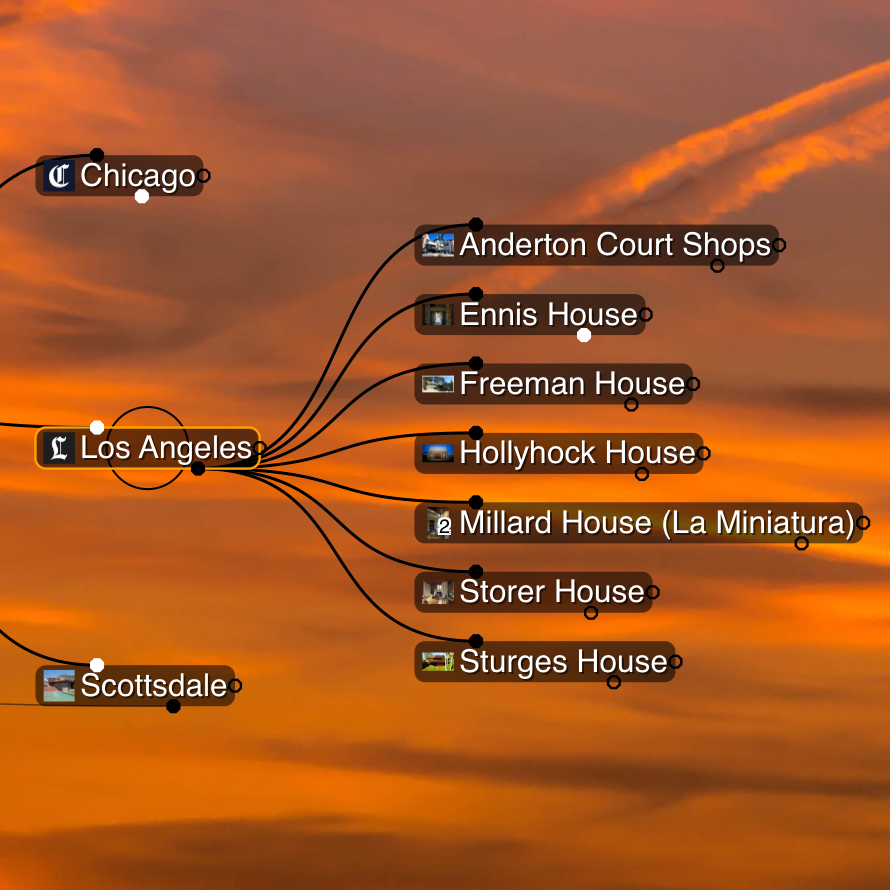



PersonalBrain is an information-organizing application for people who need to connect notes, projects, and reference material rather than keep them in a fixed folder or list structure. It represents information as a network of linked nodes, so a project, person, document, or idea can be viewed in relation to other topics. This approach can suit students, professionals, and anyone building a personal or shared knowledge base.
The central workspace is a visual map of interconnected thoughts. Users create nodes for topics and add links to show how they relate, then move or rearrange them as their understanding changes. Unlike a conventional outline, the network can branch in several directions, making it useful for exploring themes, planning complex work, or recording connections that do not fit a single hierarchy. Selecting a node brings its connected information into focus, helping users navigate a large knowledge structure by following associations.
Search helps locate a node or item when the network has grown too large to browse manually. TheBrain also supports attaching or organizing documents and other information around relevant topics, giving users a way to keep project material near the ideas it supports. Import and export options can help move information between tools, while interface customization lets users adapt the workspace to their preferred way of working. For team use, sharing and co-editing features support building and maintaining a knowledge network with others.
The software can be used to map research, track documents, organize project details, capture brainstorming sessions, or connect notes gathered over time. A project network might link goals to tasks, people, and source files; a research network can connect subjects and references without forcing them into one linear sequence. Because the structure is visual and associative, it is particularly suited to material where relationships matter as much as individual entries.
PersonalBrain is offered as a demo and is available for 64-bit Windows 10 and Windows 11. Its file size is approximately 62 MB. TheBrain is also offered on other platforms, including macOS, iOS, and Android, with synchronization described for moving between devices. Availability of particular integrations, sharing functions, and cross-device features may depend on the service or setup in use.