Mailbird
Mailbird is a desktop email client for managing email accounts from a Windows computer. It suits people who want to read and organize messages in ...

Pooka is an open-source Java email client that connects to IMAP and POP3 accounts and sends messages through SMTP. IMAP works in connected or disconnected mode, with SSL support. The client can manage multiple accounts and outgoing addresses, search folders, apply filters, handle attachments, and save messages as files. Two interface styles provide either a traditional desktop layout or a preview pane.
| Author: | Allen Petersen |
| License: | Open Source |
| Price: | FREE |
| Released: | Dec 14, 2010 |
| File size: | 2.90 MB |
| Downloads: | 317 |
| Keywords: | e-mail client, Pooka software, pop3 mail client, view e-mails, client, email client with filters, pooka email client, Allen Petersen, view, x64 architecture, desktop email software, imap email client, software review, suberic.net, check e-mails, Windows 10 compatibility, viewer, java email client |
| Author URL: | http://www.suberic.net |
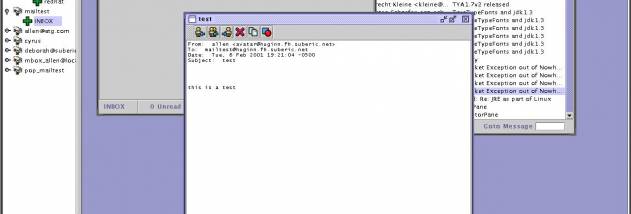

Pooka is an open-source email client written in Java for people who want to read and send messages through standard mail servers. It supports IMAP in connected and disconnected modes, POP3 for receiving mail, and SMTP for sending it. Its two interface styles offer either a desktop layout inspired by classic mail clients or a preview-pane layout that keeps a message list and selected message visible together.
The client handles everyday message tasks, including reading, composing, replying, forwarding, deleting and printing email. Replies and forwarded messages can include attachments, and users can open attachments or save them separately. Messages can also be saved as files, moved between folders, and organized with optional Sent and Trash folders. Signatures can be added to outgoing mail, making it easier to use a consistent sign-off across messages.
Pooka includes folder searches and filters to help locate or organize messages. Display filters and context-sensitive color encoding provide additional ways to distinguish mail in the interface. Multiple accounts are supported, along with multiple outgoing email addresses, which can help keep separate personal or work identities within one client. An address book is available but incomplete, so it is not a fully developed contact-management feature.
The program can connect to IMAP servers using SSL and offers both online and disconnected IMAP access. It also supports the mbox format, though that option is not recommended. These protocol choices make Pooka suitable for users whose email is hosted by providers or organizations that expose standard IMAP or POP3 access, rather than requiring a web-only interface.
Pooka runs on Java and is intended for Windows systems. It is open-source software, and Java must be available for the client to run. Its core role is desktop email management: accessing supported accounts, handling messages and attachments, and organizing mail with folders and filters.