YPOPs!
YPOPs! is an open-source gateway that lets desktop email clients access Yahoo! Mail through POP3 and SMTP. It ... and Yahoo! Mail. YPOPs! is open-source software, and its source code supports community builds for platforms beyond Windows. ...

Portable EML Viewer opens saved EML email messages and HTML files without requiring a full email client. It displays imported files, can show their source, and exports content as HTML, HTM or TXT. The portable freeware runs without installation and can be launched from removable storage.
| Author: | dalecoop |
| License: | Freeware |
| Price: | FREE |
| Released: | Oct 18, 2026 |
| File size: | 584 kB |
| Downloads: | 476 |
| Keywords: | view, eml file viewer, export EML, export, Portable EML Viewer free download, Portable EML Viewer, view eml source, download Portable EML Viewer, free eml viewer, open eml email, EML viewer, EML, freeware EML viewer, view EML, view source, portable eml viewer, source, E-Mail Clients, export EML to HTML, view EML files, eml to html export |
| Author URL: | http://logiciels.dalecoop.com/ |
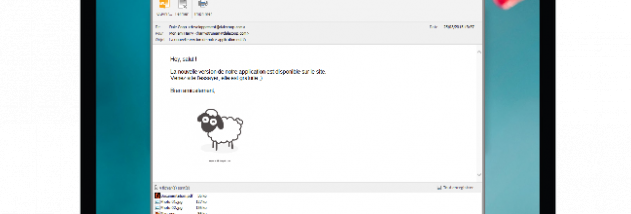



Portable EML Viewer is a lightweight utility for opening EML email files without using a full email client. It is suited to people who need to inspect saved messages, such as archived correspondence or individual email documents, without setting up an account or importing messages into a mailbox. It can also open HTML files, so it serves as a basic viewer for both email and web-page documents.
To inspect a file, the user loads an EML or HTML document through the File menu. The program displays its contents in the application, providing a straightforward way to read a saved message outside the mail service where it originated. A source-view option gives access to the underlying text of an imported file, which can be useful when checking its structure or examining information not apparent in the rendered view.
The viewer can export opened content as HTML, HTM or TXT. HTML and HTM preserve content in a format suited to web browsers and other applications that accept web documents, while TXT provides a plain-text option. These export choices let users keep a separate copy of a message or make its contents easier to reuse in other workflows.
As a portable program, it does not require installation: users extract the packaged files and launch the executable. It can be run from removable storage, such as a USB drive or external hard disk, making it practical for occasional file checks on different computers. The program is freeware and is available for Windows. Its focused feature set is intended for viewing and exporting individual EML or HTML files rather than managing email accounts or synchronizing a mailbox.