Mailbird 2.3.15.0 review by Dan Gough (May 18, 2016)

Just installed Mailbird. Search KICKS ASS. Giving me instant results from 5 years ago. Win10 mail app or Outlook - no results.

Mailbird is a Windows desktop email client for composing, reading and organizing messages. Its composer supports text formatting, spelling checks and drag-and-drop attachments, while quick compose and reply options speed up routine correspondence. Account setup can detect server settings automatically, with manual controls available for advanced configuration. Offline access supports managing email without a network connection.
| Author: | Contenga International, Ltd. |
| License: | Trialware |
| Price: | $92.95 |
| Released: | Oct 28, 2026 |
| File size: | 299.00 MB |
| Downloads: | 3030 |
| Keywords: | email composition software, multi-account support, x64 platform, Send, Email client, inbox, customizable interface, mailbird email client, Inbox, Email, desktop email client, Mailbird software, mail, offline email client, Snooze email, Email sender, email inbox manager, Sender, email, message, intuitive email client, Windows 10 compatibility, windows email app |
| Author URL: | https://www.getmailbird.com/ |


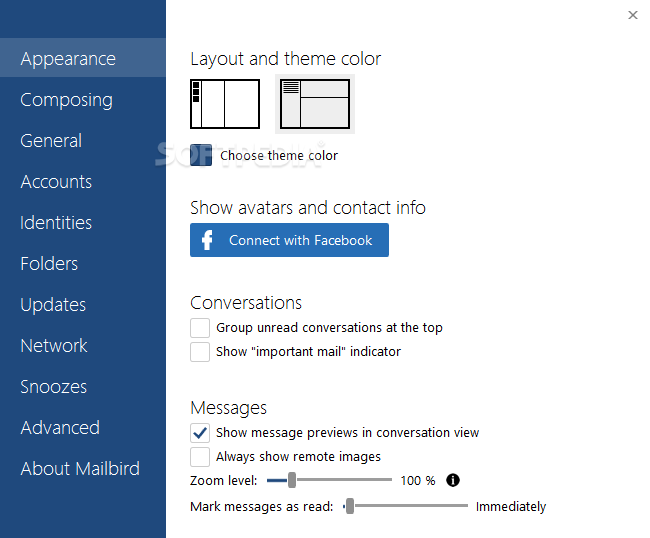



Mailbird is a desktop email client for managing email accounts from a Windows computer. It suits people who want to read and organize messages in one application, as well as users who prefer a larger inbox workspace for keeping up with everyday correspondence. Its interface can be used for straightforward email tasks or as a dashboard for organizing work and personal messages.
The message composer supports changes to text color, font and size, along with spelling checks while typing. Attachments can be added by dragging them into the composition window, keeping the task within the message-writing workflow. Quick compose and reply options help users start or answer messages without navigating through extra steps, while an inline action bar provides controls for handling inbox items.
For setup, Mailbird can detect incoming and outgoing server settings when an account is added, then apply them and load messages. Users who need more control can edit those server settings themselves. Offline access lets users manage email when a network connection is unavailable; changes and message availability may depend on the account and connection when access resumes.
Mailbird’s organization tools are intended to help keep an inbox orderly and reduce clutter. That makes it suitable for routine correspondence, handling a busy inbox, and combining email management with other productivity tasks. Users can choose a simple email-focused workflow or make the application a broader workspace for keeping information organized.
Mailbird is trialware and is available in a Pro edition. It runs on Windows 10 and Windows 11, as well as Windows 7 and Windows 8, with 32-bit and 64-bit support for the latter operating systems. It is designed for desktop use rather than as a web-based email service.
Just installed Mailbird. Search KICKS ASS. Giving me instant results from 5 years ago. Win10 mail app or Outlook - no results.
Since Google apps wants to make me jump hoops to add/delete I've jumps ship and loving #mailbird #thanks
My choice for an email client. Fast, reliable and elegant!
The only email clients which looks good on Windows.
Finally found a great email client: @mailbird is so good! Been using webmail only for 2 years 'cause I hated other mail clients so much.