Portable CDBurnerXP for Windows 10 - Full description
Portable CDBurnerXP is a free disc-burning utility for users who need to write files, music or disc images to optical media. It supports CDs and DVDs as well as Blu-ray and HD-DVD discs, making it useful for archiving files, sharing data and creating physical copies of audio collections. Its portable edition provides the program in a form intended for use without a conventional installation.
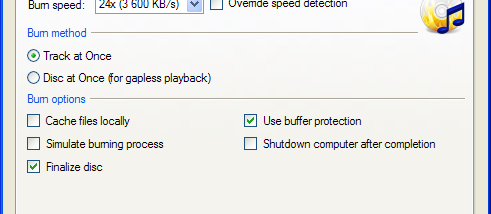
For data discs, CDBurnerXP can compile files and folders for burning, then verify the written data after the process to check that it matches the source. It can also create bootable discs, which can be useful when preparing startup or recovery media. For audio CDs, tracks can be arranged with gaps between them or without gaps, depending on how the music should play back. This makes the program suitable for both ordinary collections and continuous recordings.
The program can create ISO images from disc content and burn ISO files to discs. It also converts BIN and NRG image files to ISO, offering a way to handle several common disc-image formats. A simple cover-printing feature supports preparing printed inserts for finished discs. The multilingual interface makes its controls accessible in multiple languages, while its separate tasks for data, audio and image burning help organize common disc workflows.
Typical uses include backing up documents to optical media, making audio CDs, creating bootable discs and transferring an existing disc image to blank media. Verification is particularly useful for archive copies, where checking the result matters as much as completing the burn. Users can also create ISO images for storing or later burning disc contents. Available functions depend on the type of media and the optical drive in use.
CDBurnerXP is freeware, and it may be used by individuals and companies without charge. The program does not include adware or similar unwanted components. The supplied operating-system support includes Windows versions through Windows 10; Windows 11 compatibility is not established by that information. A compatible optical drive and writable media are needed for burning physical discs, while image-file operations can be used for working with ISO, BIN and NRG files.