Portable Inkscape

Portable Inkscape 1.4.4

Portable SVG drawing and editing

Portable Inkscape brings the open-source Inkscape vector editor to Windows in a portable package. It creates and edits SVG artwork using paths, shapes, text, layers, gradients, and transparency. Bitmap tracing converts raster images into editable paths, while import and export support helps move artwork between common image and vector formats.

Portable Inkscape 1.4.4 details

Author:
License: Open Source
Price: FREE
Released:
File size: 105.00 MB
Downloads: 417
Keywords: SVG format support, svg editor, open source software, open-source software, Illustrator, vector graphics editor, bitmap to vector, advanced drawing tools, SVG file, CorelDraw, Portable Inkscape, open source, graphic tool, svg drawing software, portable inkscape, user-friendly interface, open source vector editor, graphic editor
Author URL: https://inkscape.org/
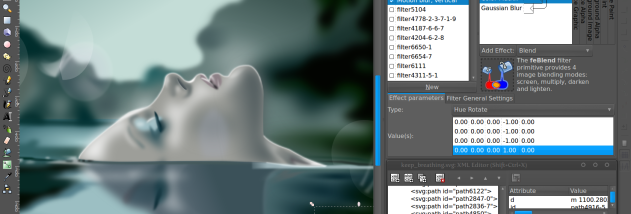
Portable Inkscape screenshot
Portable InkscapeEditorsWindows 11, Windows 10 32/64 bit, Windows 8 32/64 bit, Windows 7 32/64 bit, Windows Vista, Windows XP 32/64 bit

User Rating: 0 (0 votes)

Portable Inkscape Awards

Windows 10 download editor's pick

Portable Inkscape for Windows 10 - Full description

Portable Inkscape is a portable Windows edition of Inkscape, an open-source vector graphics editor for illustrators, designers, and anyone creating artwork that needs to scale cleanly. It works primarily with SVG, the XML-based format used for scalable vector graphics, and provides drawing tools for creating diagrams, icons, logos, and other illustrations. Its portable packaging is suited to users who want to keep the application available outside a conventional installed setup.

Artwork is built from editable objects such as shapes, paths, and text. Node editing lets users adjust the points and curves that define a path, while path operations can combine or alter shapes to produce more complex forms. Layers help organize artwork into manageable parts, and grouping keeps related objects together. Users can apply gradients, patterns, transparency, and transformations, or place text along a path for labels and decorative lettering. Markers and clones provide additional ways to reuse and style graphic elements.

For work that starts with an existing image, bitmap tracing can turn raster artwork into vector paths that can be edited and resized. Inkscape also imports common image formats including JPEG, PNG, and TIFF, along with PostScript and EPS files. Finished work can be exported as PNG or saved in SVG and other vector-based formats. Direct XML editing gives advanced users access to the document structure, while support for SVG, XML, and CSS standards helps keep files usable across compatible tools.

These capabilities make the program useful for producing web graphics, logos, diagrams, illustrations, and print-ready vector artwork. Its combination of object editing, layers, text tools, and image tracing also suits revisions to existing designs and conversion of simple raster images into scalable artwork. Users can keep elements separate during editing and export a raster copy when a project needs to be shared in a format that does not require a vector editor.

Portable Inkscape is open-source software and is offered at no cost. This Windows package supports Windows 10 and Windows 11, as well as older Windows releases. SVG is its native working format; imported files may need adjustment after conversion, especially when their original format uses features that do not map directly to SVG. The portable edition is useful when a self-contained application is preferred, while the same Inkscape drawing and editing concepts apply to the standard application.

Portable Inkscape for Windows 10 - Post your review