Warp Registry Cleaner Software Free
... the official download page of "Warp Registry Cleaner Software Free" developed by the renowned NCH Software. This exceptional software effortlessly sweeps through your Windows 10 registry, eliminating ...

reWASD lets Windows players remap gamepad buttons and translate controller input into keyboard and mouse actions. Its drag-and-drop editor makes it possible to build layouts for particular games or preferences. Shift mode assigns alternate functions to a button, while turbo mode repeats presses automatically. Users can also share or download community profiles. Supports controllers such as Xbox Elite, DualShock and Nintendo Switch Pro.
| Author: | Disc Soft Ltd |
| License: | Trialware |
| Price: | $34.99 |
| Released: | May 21, 2026 |
| File size: | 64.80 MB |
| Downloads: | 285 |
| Keywords: | controller profiles, controller customization, map controller, remapping, macro support, turbo button mapping, controller, mapper, gamepad, customization, download reWASD, controller remapping software, software, gamepad mapper, reWASD, user-friendly interface, reWASD free download, map controller buttons, remap, map gamepad, gamepad mapping, profile management, advanced remapping, Disc Soft Ltd, gamepad to keyboard |
| Author URL: | https://disc-tools.com/ |


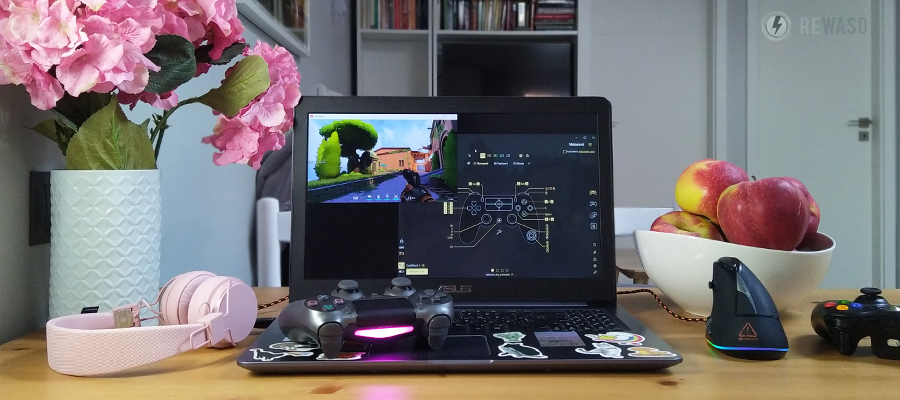

reWASD is a Windows gamepad mapping utility for players who want to change how a controller works in games. It remaps physical buttons and can translate controller input into keyboard and mouse actions, helping adapt a gamepad to titles with different control options or to a player's preferred setup. The software supports controllers including Xbox Elite, DualShock and Nintendo Switch Pro models.
Controller layouts are configured through a drag-and-drop interface. Users assign actions to buttons and adjust the mapping to suit a particular game or play style, rather than relying only on a game's built-in control settings. For example, a controller button can be assigned a keyboard key or mouse action, allowing a gamepad to operate controls that would otherwise require those devices. This can also make an existing controller more useful in games that do not natively support it.
Additional mapping options provide more control over how buttons behave. Shift mode lets one button perform different functions depending on the active mode, allowing extra commands without adding physical controls. Turbo mode repeats a button press automatically, which can be useful when a game requires rapid repeated input. These settings can be combined with ordinary remapping to build layouts for different games and preferences.
reWASD also provides a community area for sharing controller profiles. Users can upload configurations or download existing ones as a starting point, then adjust the assignments to fit their own controller and needs. This can reduce setup work for common games or provide ideas for layouts that are less familiar. Profiles keep configurations organized around particular uses instead of requiring the same assignments for every game.
The software is intended for gaming and controller customization, including adapting controls for unsupported titles, changing ergonomics, or using a gamepad with keyboard-and-mouse input schemes. It is trialware from Disc Soft Ltd and is available for 64-bit Windows 10 and Windows 11. Its functions focus on input mapping and profile configuration; the resulting experience depends on the controller, game and chosen assignments.