FastAccess Pro
... Pro is facial-recognition software for Windows that adds face-based sign-in and access controls to a shared or ... computer use, so there is no separate manual face-enrollment step; the facial database updates as users log ...

Rohos Face Logon adds webcam-based face recognition to Windows sign-in. It registers face patterns for a user account, then automatically logs in when a compatible camera captures a recognized face. Multiple faces can be registered for one account, and recent successful webcam logins are recorded. Users can remove poor patterns, hide the program window or temporarily disable face login. It works alongside the usual Windows password.
| Author: | Tesline-Service.SRL |
| License: | Trialware |
| Price: | $13.56 |
| Released: | Sep 1, 2023 |
| File size: | 6.10 MB |
| Downloads: | 406 |
| Keywords: | login authentication, user-friendly interface, biometric authentication, face recognition, Windows 10 security, login, facial recognition, Rohos Face Logon, face authentication, Tesline-Service.SRL, windows face recognition, face, authentication, webcam login security, automatic computer login, biometric login software, webcam face login, Windows login |
| Author URL: | https://www.rohos.com/ |

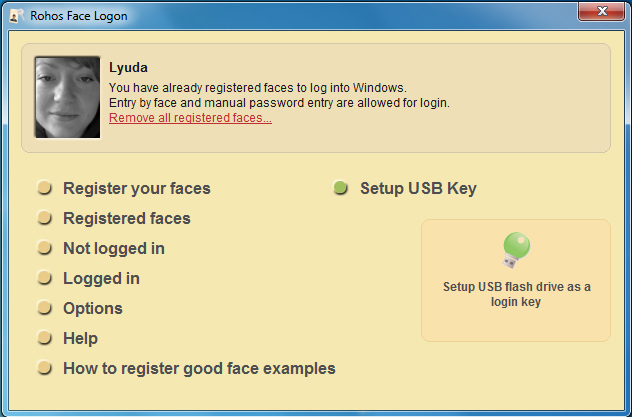

Rohos Face Logon adds webcam-based face recognition to the standard Windows sign-in process. It is intended for people who want an alternative way to unlock a computer alongside their usual Windows password. The program uses a Windows-compatible camera to identify a registered face and can sign in automatically when recognition succeeds. Its biometric verification runs continuously and is based on neural network technology.
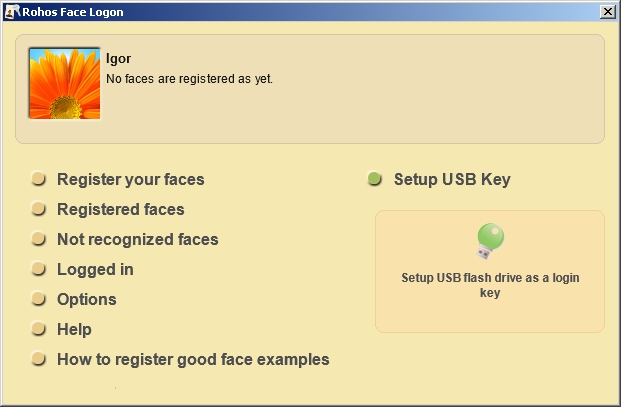
Setup involves registering face patterns for a Windows user account and positioning a compatible camera so it can capture the person during sign-in. After registration, Rohos Face Logon checks the camera image against the saved patterns. When it recognizes a match, it completes the login automatically, reducing the need to type credentials at the keyboard. The usual Windows login and password remain part of the sign-in arrangement, providing a separate method alongside face recognition.
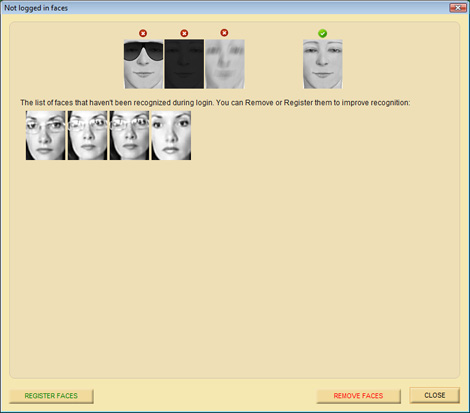
The program supports multiple registered faces for a single user account, which can suit a shared computer where several people need access to the same account. It stores records of recent successful webcam sign-ins, allowing users to review when this method was used. Registered face patterns can also be inspected, and weak patterns can be removed and registered again. A self-training feature is intended to help reduce recognition failures over time.
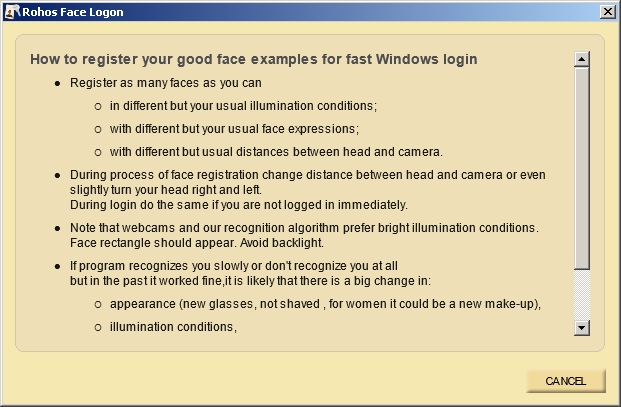
Options include hiding the Rohos Face Logon window and temporarily stopping face-based login. These controls let users keep the recognition process out of view or suspend it when they prefer to sign in another way. The automatic recognition workflow is most useful for a home or personal computer where the camera has a clear view during logon; camera placement and lighting can affect how reliably a face is captured.
Rohos Face Logon is trialware and is designed for Windows, including Windows 10 and Windows 11, as well as earlier Windows releases. It requires a Windows-compatible camera for face recognition. The program supplements Windows authentication rather than replacing the account's password, and its records and registered face patterns can be managed through its settings.