Rohos Mini Drive for Windows 10 - Full description
Rohos Mini Drive is a freeware utility for protecting personal files stored on a USB flash drive. It creates a password-protected partition on the drive, giving users a separate place to keep documents they want to carry securely. The program is intended for people who move files between computers and need a way to access the protected area without installing the full application on every machine.
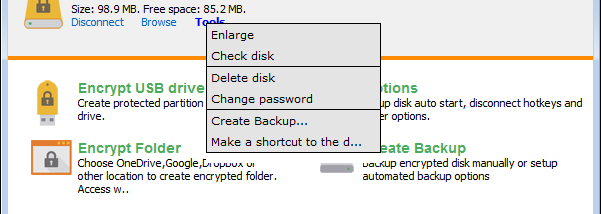
To set up a drive, the user connects it and starts Rohos Mini Drive, then chooses the option to create a USB flash drive partition and sets a password. After the partition is created, the user can adjust its size and drive letter. The program also provides an option to change the password, so access credentials can be updated without recreating the protected area. An Options menu provides additional settings for managing the utility.
The download includes Rohos Disk Browser, a portable file manager for working with files in the protected partition. It can open files, save them, delete them and display their properties. A pull-down menu provides access to partition search and opening functions. Because the browser is portable, it offers another way to work with the protected files when the computer cannot use the usual drive interface.
Rohos Mini Drive can open the protected drive on computers where the user does not have administrator rights. This is useful when carrying documents to shared or borrowed Windows computers, such as those in a library or at a friend's home. The portable components are intended to travel with the USB drive, allowing the owner to manage or browse protected files away from the computer used to create the partition.
The software is freeware and works with USB flash drives. Creating the partition requires choosing a password; users should keep that password available because it is needed to access the protected files. The supplied operating-system support covers Windows 7, Windows 8 and Windows 10, including their 64-bit editions. The program is designed for portable storage rather than encrypting an entire computer or its internal drive.