VPNLY - Unlimited VPN & Proxy
Introducing VPNLY - Unlimited VPN & Proxy, the ultimate solution for secure and unrestricted internet ... freedom of the internet with VPNLY – where privacy meets performance. Download now and take control of ...

RoxyBrowser is a profile-based browser for managing multiple online accounts and separate browsing sessions. Its dashboard lets users create profiles with individual proxy connections and browser fingerprint settings, organize them by project, and launch common services. Proxy support includes IPv4, IPv6, SOCKS5, HTTP(S), and SSH, with batch proxy entry. Profile synchronization and API access can support Selenium-based automation and testing workflows.
| Author: | NOVATECH HONGKONG GROUP CO., LIMITED |
| License: | Trialware |
| Price: | $0.80 |
| Released: | Oct 23, 2026 |
| File size: | 121.00 MB |
| Downloads: | 504 |
| Keywords: | user-friendly, user-friendly interface, RoxyBrowser, proxy browser, profile, NOVATECH HONGKONG GROUP, browser fingerprint tool, browser, anonimity, proxy, multi account browser, privacy, download RoxyBrowser, secure browsing, web browsing, browser proxy, privacy protection, security, RoxyBrowser free download, manage multiple social accounts, selenium browser automation, fast performance, browser profile manager, NOVATECH, browser profile |
| Author URL: | https://roxybrowser.com/ |
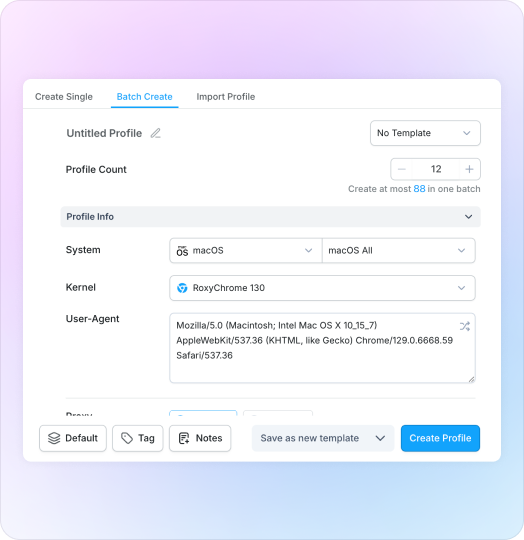
RoxyBrowser is a profile-based browser for managing separate online accounts and browsing sessions. It is aimed at digital marketers, e-commerce operators, social media managers, and other professionals who need to keep workspaces distinct or test how websites behave under different browser and network conditions. A central dashboard lets users create, organize, and launch multiple browsing profiles rather than repeatedly changing settings in a single browser session.
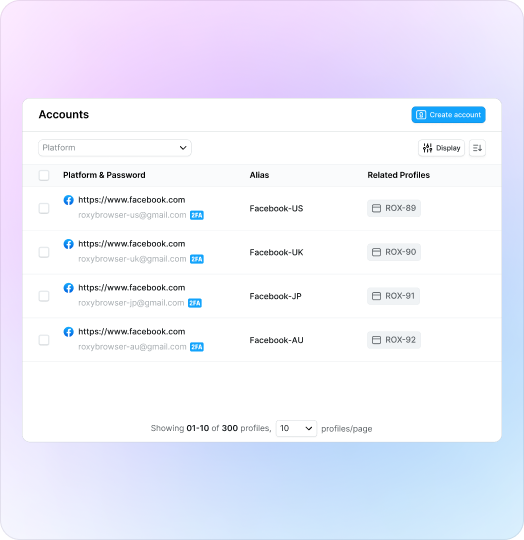
Each profile can have its own proxy connection and configurable browser fingerprint settings. Separating these details helps keep accounts and projects in distinct environments, while proxy locations can be used to access services as they appear from different regions. RoxyBrowser supports IPv4 and IPv6 proxies, as well as SOCKS5, HTTP(S), and SSH connections. Proxy entries can be added in batches and assigned to profiles through the proxy management panel.
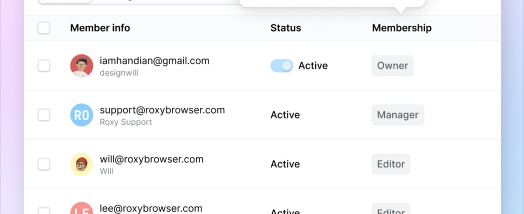
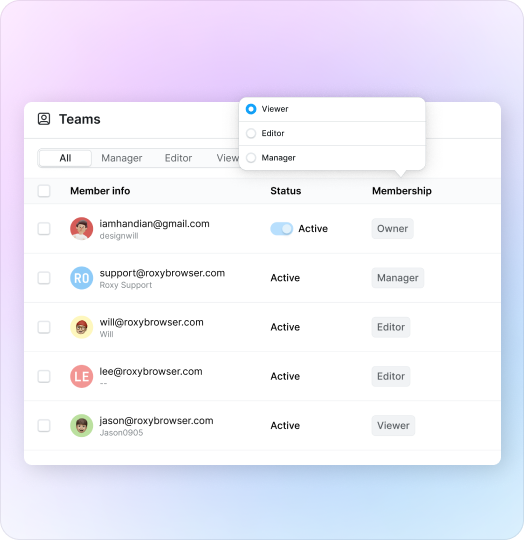
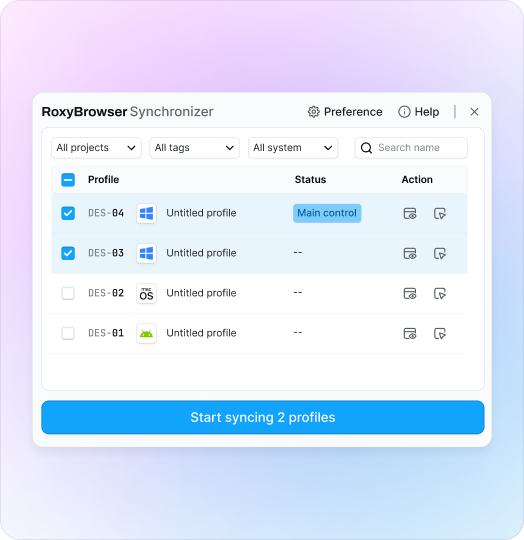
Profiles can be organized around projects and include shortcuts to services such as social networks, email, streaming, and payment platforms. Profile synchronization and API access support workflows that use Selenium and similar automation tools, including repeatable browser tasks and testing. The shared dashboard also provides a place to manage profiles centrally for team-based work.
These features are useful when handling multiple storefronts or social accounts, coordinating advertising campaigns, collecting data, or checking websites under different profile and location settings. Keeping sessions separate can make account operations easier to organize, but it does not guarantee anonymity or prevent every form of tracking; online privacy also depends on proxy quality, account behavior, and the services being accessed.
RoxyBrowser is trialware for Windows 10 and Windows 11, with support for 32-bit and 64-bit Windows. The product information also refers to mobile and macOS support, but this listing covers the Windows edition. Proxy services may need to be obtained separately, and automation workflows can require configuration of the relevant tools and APIs.