Qt
Qt is a cross-platform application development framework for programmers building desktop, mobile and embedded ... libraries and tools are especially suited to C++ development, while its interface technologies also support declarative UI ...

Sikuli X automates and tests graphical interfaces by locating screen elements through screenshot images. Its IDE lets users build visual scripts, while Sikuli Script provides image-based operations through Jython. Scripts can click controls and enter text in web pages or desktop applications, including software without an internal automation API. It is freeware.
| Author: | Sikuli.org |
| License: | Freeware |
| Price: | FREE |
| Released: | Apr 15, 2014 |
| File size: | 23.90 MB |
| Downloads: | 296 |
| Keywords: | image recognition, jython automation, gui automation, generate, Sikuli X, create, design GUI, script writing, sikuli x, visual automation tool, screenshot scripting, open-source software, create GUI, user interface interaction, development, visual automation software, application development, image based testing |
| Author URL: | http://sikuli.org/ |
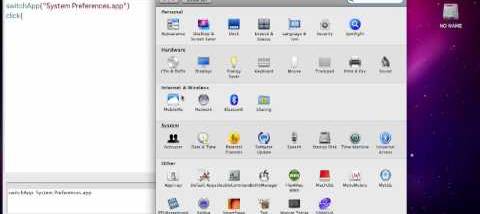

Sikuli X is a visual automation and testing tool for people who need to control a graphical interface without relying on an application's internal programming interface. It combines Sikuli IDE, where users create scripts, with Sikuli Script, an image-based API for Jython. Instead of identifying buttons or fields by their code-level names, a script can locate them by matching screenshots against what appears on screen. This approach is useful for desktop software and web pages whose interfaces are easiest to recognize visually.
In the IDE, a user captures or inserts an image of an on-screen control and places it in a script as a visual reference. The script can then search the displayed interface for a matching image and perform actions such as clicking the match or entering text. This makes it possible to automate sequences of visible steps, such as opening a menu, filling in a form and confirming a dialog. Because the script works with what is displayed, it can also interact with applications for which no suitable automation API is available.
Sikuli Script exposes these visual operations through Jython, allowing image searches and screen actions to be combined with normal scripting logic. Users can build repeatable procedures, add conditions and organize longer tasks as scripts rather than manually repeating the same mouse and keyboard steps. Screenshot-based references can be adjusted as interfaces change, although automation depends on the target controls remaining visually recognizable. Differences in layout, appearance or screen content may require updated images or script changes.
Typical uses include testing application workflows, automating routine work in desktop programs, and controlling browser pages through their visible controls. The same visual technique can be applied to Windows, Linux or Mac OS X desktop applications, as well as mobile applications running in a simulator or accessed through VNC. It is particularly relevant when automation must cross application boundaries or work with software that does not expose internal controls to a test tool.
Sikuli X is freeware. Its workflow centers on image capture, visual matching and Jython scripting, so it suits users comfortable assembling and maintaining scripts rather than expecting a no-code recorder to handle every interface change. The supplied operating-system information includes Windows 10; it does not establish Windows 11 support. Visual automation may also need attention when an application is resized or its interface changes, since scripts identify controls by their appearance on screen.