Sticky Password Free for Windows 10 - Full description
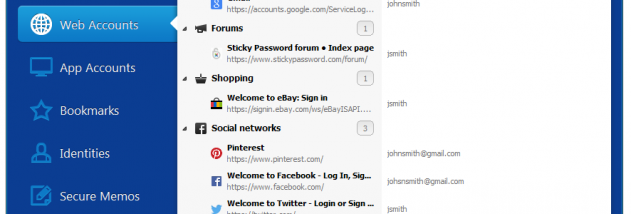
Sticky Password Free is a password manager and form-filling tool for people who want to store website logins in one protected place instead of relying on memory, browser notes or repeated passwords. It saves usernames and passwords in an encrypted vault, which is unlocked with a master password chosen by the user. The master password is the key to the stored data, so it should be memorable and kept private.
The program can generate strong, unique passwords for new accounts, helping reduce the risk of reusing the same credentials across websites. As users browse, Sticky Password can save new logins and later enter saved credentials on login pages. Its form-filling features can also enter personal details into online forms, reducing repeated typing and mistakes. Automatic filling is intended to handle a range of login layouts, including less standard forms.
Existing passwords saved in supported web browsers can be imported into the vault, providing a way to bring stored credentials into the manager. After setup, users can organize their logins in the encrypted store and retrieve them when needed rather than searching through browser settings or documents. The software also supports two-factor authentication and biometric authentication as additional ways to protect access, where available.
Sticky Password is useful for home users managing accounts for email, shopping, banking and other websites, as well as anyone who wants generated passwords and quicker sign-ins. The wider Sticky Password product supports synchronization and backup options, including local Wi-Fi synchronization and cloud synchronization; availability may depend on the edition and configuration. The Free edition is freeware, and its features should be checked against the needs of a particular workflow before relying on cross-device synchronization.
This Windows release requires Windows Vista or later and is offered in several languages, including English, French, German, Japanese and Spanish. Password storage is protected with AES-256 encryption. A strong, unique master password is essential because it controls access to the vault. Users should also keep their operating system and browser up to date and avoid sharing their master password.