Studio Clean for Windows 10 - Full description
Studio is a digital building program from LEGO BrickLink for designing LEGO models on a computer. It lets builders work with virtual parts rather than sorting physical bricks, making it useful for planning a construction, testing ideas, or preparing a design to build in real life. Its parts library and 3D workspace support both straightforward models and more involved projects.
Builders select pieces from the library and place and connect them in the workspace, where the model can be viewed from different angles. This makes it easier to check how parts fit together, inspect hard-to-see areas, and revise a design without rebuilding it by hand. The virtual format also makes experimenting with shapes and structures practical: components can be moved or replaced as the design develops.
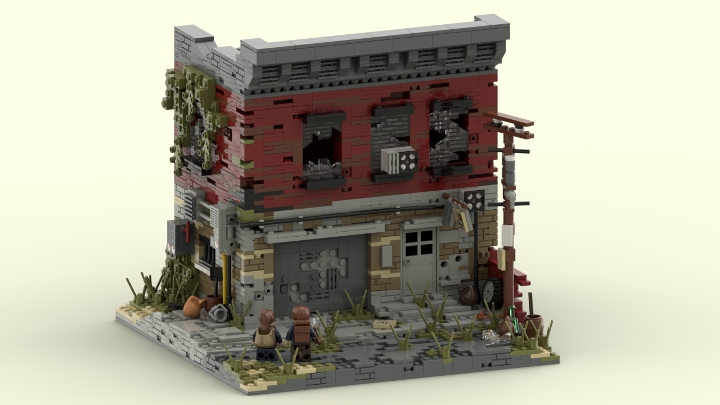
When a model is ready to present, Studio can produce rendered images that show its appearance with more realistic lighting and materials than the building view. These images can be used to document a project or share its finished look. The instruction-making tools turn a completed design into step-by-step building guidance, helping the creator or another builder reproduce the model with physical pieces.
Studio also connects model planning with BrickLink's parts marketplace. A parts list can help identify the elements needed for a physical build and support sourcing them through the marketplace. This is useful when estimating what a design requires before starting construction, or when checking whether a model can be assembled from available pieces. The program therefore supports a workflow from digital design to instructions and parts planning.
The software is free to use and is intended for LEGO fans, hobby designers, and builders who want to create, refine, render, or document models digitally. It is available for Windows 10 and Windows 11, as well as earlier Windows releases. Working with large or detailed models can require more system resources than simple builds; the program's virtual workspace provides a way to develop and inspect designs without needing the physical pieces at hand.


.png.04b72e9d515744f073bd8181ef641165.png)
