Syncrify x64
Syncrify is a remote backup program for people and ... relying on an outside storage provider. For network backups, Syncrify transfers only the portions of a file that ...

Syncrify backs up files to a remote machine over HTTP, rather than limiting backups to local media such as USB drives or tape. It transfers only the changed part of a file to reduce network traffic during repeated backups. Installed on a machine the user controls, it keeps backup storage private instead of relying on a hosted service. Backed-up files can be viewed or downloaded from another machine.
| Author: | Synametrics |
| License: | Demo |
| Price: | $49.00 |
| Released: | Oct 14, 2026 |
| File size: | 82.40 MB |
| Downloads: | 408 |
| Keywords: | Synametrics Technologies, Remote, http backup software, remote file server, private backup server, rsync backup software, incremental file backup, Backup, cloud-ready backup, incremental backup, rsync protocol, data backup, remote file backup, Syncrify, cross-platform compatibility, Rsync, network backup tool, remote backup |
| Author URL: | https://web.synametrics.com/SynaMan.htm |
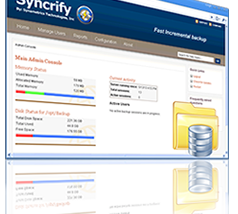

Syncrify is remote backup software for individuals and organizations that need to copy files to another machine over a network. Unlike a hosted backup service, it is installed on a machine controlled by the user, such as a system within a company network. Backups travel over HTTP, providing a way to send files to a remote destination without relying on local media such as USB drives or tape.
The program reduces network traffic by transferring only the part of a file that has changed. This is useful when documents or other large files are updated regularly: instead of sending the complete file after every edit, Syncrify copies the changed portion to the backup target. This approach helps limit repeated transfers over slower or bandwidth-constrained connections. It is designed for remote file backup, where the amount of data sent across the network matters.
Syncrify is a product that can be installed on a machine within a private network, rather than a service that requires files to be stored on a provider's servers. Keeping the backup destination under the organization's control can suit users who prefer to retain their files on infrastructure they manage. The setup can therefore use a separate machine as the destination while source computers send backup data to it over HTTP.
Backed-up files can be accessed from another machine. Users can view or download selected files, making the backup useful not only for recovery but also for retrieving individual items when needed. This provides a practical way to restore or consult particular files without first copying an entire backup set back to the original computer.
Syncrify is freeware. It is intended for remote backup workflows where users want a privately managed destination and reduced transfers for files that change over time. The available platform information lists Windows XP, Vista, 7 and 8; compatibility with other Windows releases should be checked before installation.