WindowTabs for Windows 10 - Full description
WindowTabs adds tabbed organization to application windows on Windows, helping people who work with several instances of the same program keep related tasks together. Rather than switching through a crowded taskbar or arranging many separate windows, users can group windows behind tabs and move between them from a tab bar attached to an app window. The utility is a fork of the original WindowTabs project, with optimizations intended to support modern Windows systems.
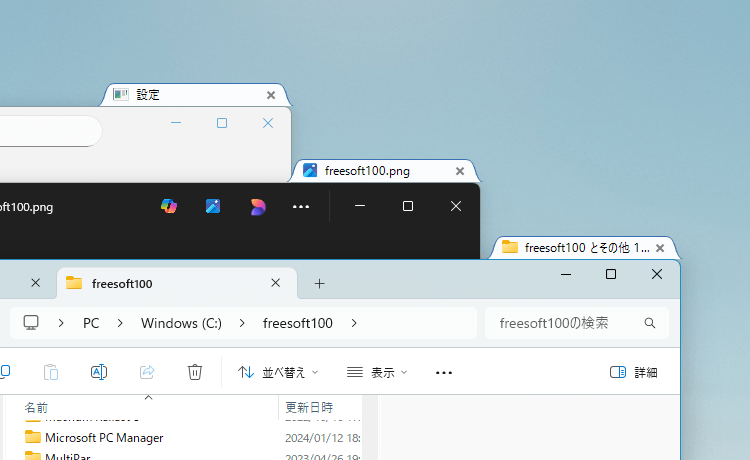
The tab overlay provides a shared place to manage multiple instances of an application. Users can create tabs for the windows they want to keep together, then select a tab to bring that instance forward. This approach is useful when working with several documents, projects, or sessions in the same app: each remains open, but the group takes up less space on the desktop. Tab groups help keep related windows organized rather than mixing them with unrelated work.
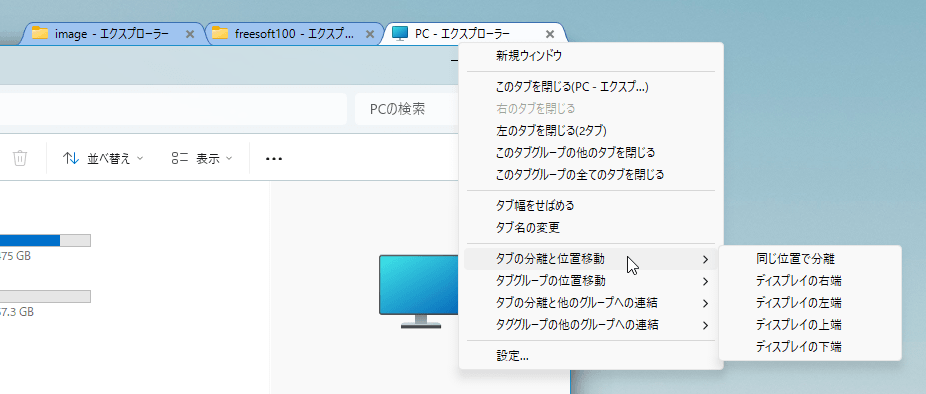
WindowTabs also supports detaching and splitting tabs. A tab can be separated from its group or repositioned, allowing the window arrangement to change as a task evolves. The Programs tab lets users assign applications to categories, such as putting a collection of Office apps in one category so their windows can be switched among through the tab interface. These options make it possible to organize both multiple windows from one application and workflows involving a suite of related programs.
The Settings menu controls the appearance and placement of tabs. Users can adjust tab colors and proportions, choose text colors, and set the tab bar to appear at the left, center, or right of an application window. These preferences help fit the overlay to different workflows and desktop layouts without changing the applications themselves. The tab bar is designed to remain integrated with the managed windows rather than functioning as a separate window manager.
WindowTabs is open-source software offered at no cost for Windows 10 and Windows 11, including 32-bit and 64-bit Windows 10 systems. It is suited to users who regularly keep several compatible application windows open and want a tab-based way to switch and group them. Its functions focus on organizing existing windows; it does not replace the applications or their own document and project features.