VSTSynthFont
Welcome to the Windows 10 download website, where you can discover the innovative software VSTSynthFont developed by Kenneth Rundt. VSTSynthFont is a powerful virtual instrument that ...

SynthFont plays MIDI files by combining their note and performance instructions with audio from SoundFonts and other supported sound sources. Its Explorer-style browser, folder playback and playlist help manage files, while piano-roll and event views support inspection and basic MIDI editing. Tracks can use different sound sources and VST effects. Layers, splits, wave views and the Viena editor provide tools for examining and creating SoundFonts.
| Author: | Kenneth Rundt |
| License: | Trialware |
| Price: | $17.00 |
| Released: | Nov 28, 2023 |
| File size: | 17.50 MB |
| Downloads: | 662 |
| Keywords: | SoundFonts, midi karaoke player, Kenneth Rundt, Music production software, VST effects, MIDI editing, track, midi player, karaoke lyric, soundfont editor, player, midi file editor, midi track viewer, track viewer, karaoke, SynthFont, soundfont player |
| Author URL: | https://www.synthfont.com/ |

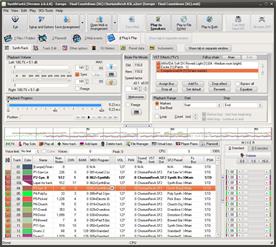

SynthFont is a MIDI player and sound-source workstation for musicians, arrangers and users who want to hear or inspect MIDI files. Unlike an audio recording, a MIDI file stores note and performance instructions rather than recorded sound. SynthFont combines those instructions with audio from SoundFonts and other supported sources to render a playable version of a piece.
An Explorer-style browser helps locate MIDI files, arrangements and sound sources, and can play files from a folder. A separate playlist provides a way to organize tracks for successive playback. For closer inspection, the piano-roll view displays notes and controller data and supports basic MIDI editing. The Events view presents a track's individual MIDI events; filters can narrow the display, while editing tools allow changes to notes and program selections, making it useful for checking and correcting a file.
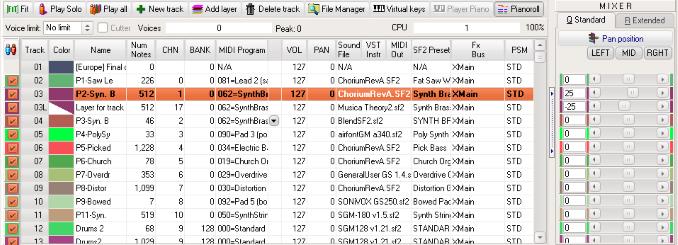
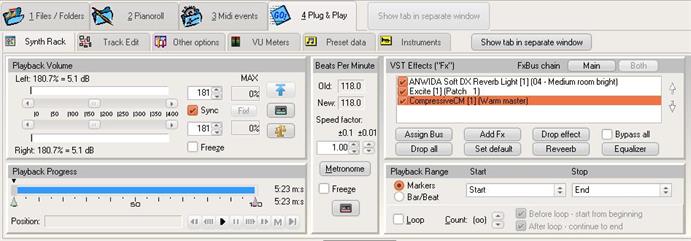
The Tracks view combines track management with the synthesis setup. Tracks can be muted, soloed, added or removed, and assigned their own sound sources, including SoundFonts, GIGA and DLS files, WAV audio and VST instruments. The synthesizer section supports VST audio effects on channel buses and the main effect, helping shape the rendered sound. Separate Layers, Splits and Wave views expose the structure beneath a SoundFont preset: users can inspect its instrument layers, adjust split parameters and view or make basic edits to the referenced sample data.
For more involved sound design, the included Viena SoundFont editor can create SoundFonts from audio samples or from presets and instruments in other SoundFonts. It supports working with up to four SoundFonts at once and copying content between them. Favorite folders and a preset cache help keep frequently used files and presets accessible. These tools make SynthFont useful both for straightforward MIDI playback and for editing, troubleshooting and building sound libraries.
SynthFont is trialware and is intended for Windows. Its workflow can suit people who need to audition MIDI arrangements, assign different instruments to tracks, apply effects, or examine and modify SoundFont content. Availability of particular sounds depends on the sound sources installed or selected for a project; the MIDI file itself does not contain the audio needed for playback.