Undo It
... the download page for "Undo It," a cutting-edge Windows 10 software developed by IpCamSoft. Designed to empower users with seamless control over their digital actions, ...

Taskbar Eliminator is a lightweight utility that toggles the Windows taskbar off and on in real time. Alt+T shows or hides it, while Control+Alt+T opens Preferences. It can hide the taskbar on any side of the screen, making room for desktop docks and custom layouts while keeping normal taskbar access available when needed. The utility is freeware; its stated support covers older Windows releases through Windows 8.
| Author: | Aviassin |
| License: | Freeware |
| Price: | FREE |
| Released: | Jun 7, 2010 |
| File size: | 573 kB |
| Downloads: | 281 |
| Keywords: | taskbar toggle utility, eliminate taskbar, customize desktop, TaskbarEliminator, hide windows taskbar, taskbar eliminator, desktop dock utility, desktop customization, remove taskbar, Taskbar Eliminator, Windows 10 software, taskbar hotkey, eliminator, x64 application, eliminate, taskbar, Aviassin, user interface enhancement |
| Author URL: | http://aviassin.wikidot.com |
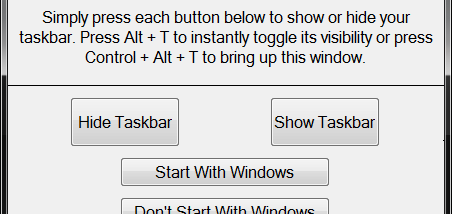

Taskbar Eliminator is a small Windows utility for people who want to hide the standard taskbar while using a desktop dock or customizing their screen. Rather than removing taskbar components, it toggles the taskbar's visibility, so it can be brought back whenever its controls or shortcuts are needed.
The program offers keyboard shortcuts for quick access. Pressing Alt+T shows or hides the taskbar immediately, without opening the preferences window. This is useful when switching between a clear desktop and normal Windows access during the same session. Holding Control+Alt+T opens Preferences, where the available options can be adjusted.
Taskbar visibility can be toggled in real time, and the utility can hide the taskbar regardless of which side of the screen it occupies. That gives dock users more room for their chosen launcher and supports desktop layouts that do not rely on the usual taskbar. The reversible toggle also means the taskbar can be restored temporarily to reach an application or perform a routine Windows action.
The interface is intentionally simple, with the main controls available through the hotkeys rather than a complex configuration workflow. Taskbar Eliminator is freeware and has a compact download size. Its stated support covers older Windows releases through Windows 8; users should check compatibility with their particular system before relying on it, especially on newer Windows versions.