tIDE for Windows 10 - Full description
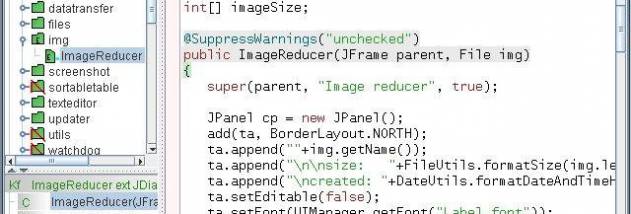
tIDE is an open-source integrated development environment for creating Java applications. Its compact, lightweight design suits developers who want a focused workspace for writing, compiling and testing Java code, as well as people who need to inspect or run individual parts of an existing project. The IDE runs through Java Web Start, so it can be launched from a JNLP file without a conventional installation.
The tRun feature makes it possible to invoke a method, constructor or field directly from the editor. Developers can select a member with the mouse or place the caret there and use the keyboard shortcut, then supply supported parameters such as strings, integers or colors. tRun provides sensible initial values and remembers them for later runs; common return values, including strings and user-interface components, can be displayed. This is useful for trying a small piece of code without building a separate test harness. Non-static and private methods are supported when the class has an empty constructor.
For code analysis, tIDE includes a word-statistics tool based on log-likelihood. It identifies terms that are prominent in a project and lets developers compare projects to see how their vocabularies differ. The IDE also supports the MIT Type Checker Framework and its JSR 308 compiler, enabling type contracts such as collection element constraints to be checked during compilation. Ant, JUnit and Cobertura integration supports build, test and coverage workflows, while a scratch project provides a place to run test code without initial configuration.
Projects created in Eclipse, NetBeans or Schmortopf can be brought into tIDE with an import tool that transfers their main settings. This helps developers try the environment without rebuilding project configuration from scratch. The combination of direct code execution, static type checking and established Java testing tools serves both exploratory development and more structured project work.
The program is free and open source, and is intended for Java development on Windows. Its launch method depends on Java Web Start support, and its project import and build integrations are aimed at developers working with Java code and related tools. The supplied operating-system information includes Windows 10; it does not establish Windows 11 support.